

How to cancel an invoice in HotelFriend
At times, you may need to cancel an invoice that hasn't been paid yet, and HotelFriend offers a straightforward way to do so with the "Cancel Invoice" feature.
Here's how to do that in three steps:
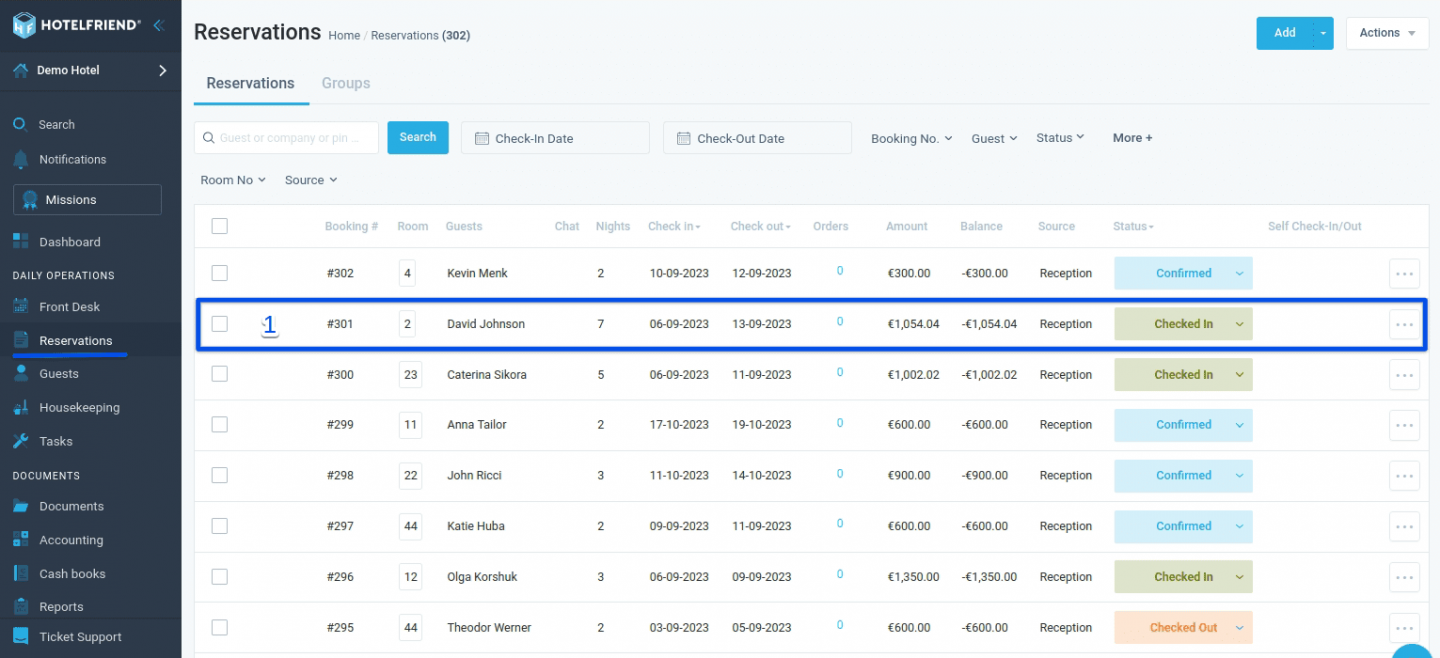
- Navigate to the Reservations module and select the reservation for which you wish to cancel the invoice.
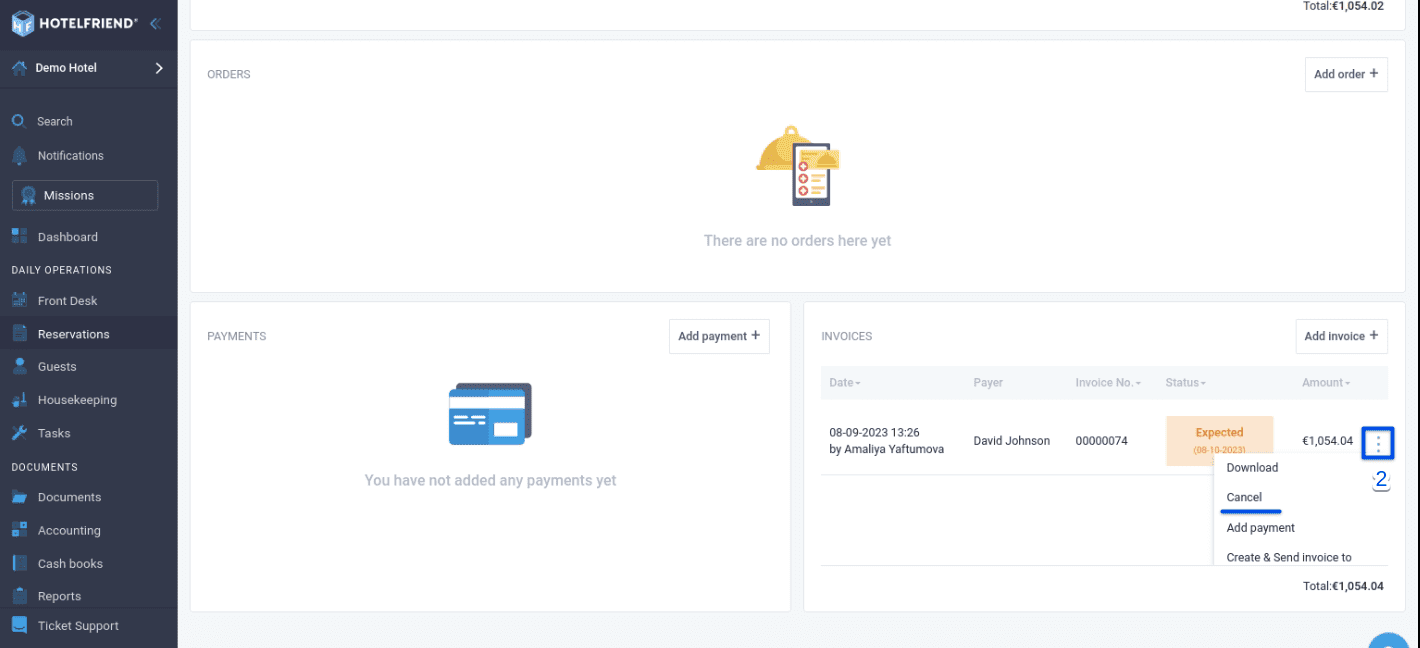
- In the Invoices section, next to the invoice you'd like to cancel, click on the action menu and select Cancel.
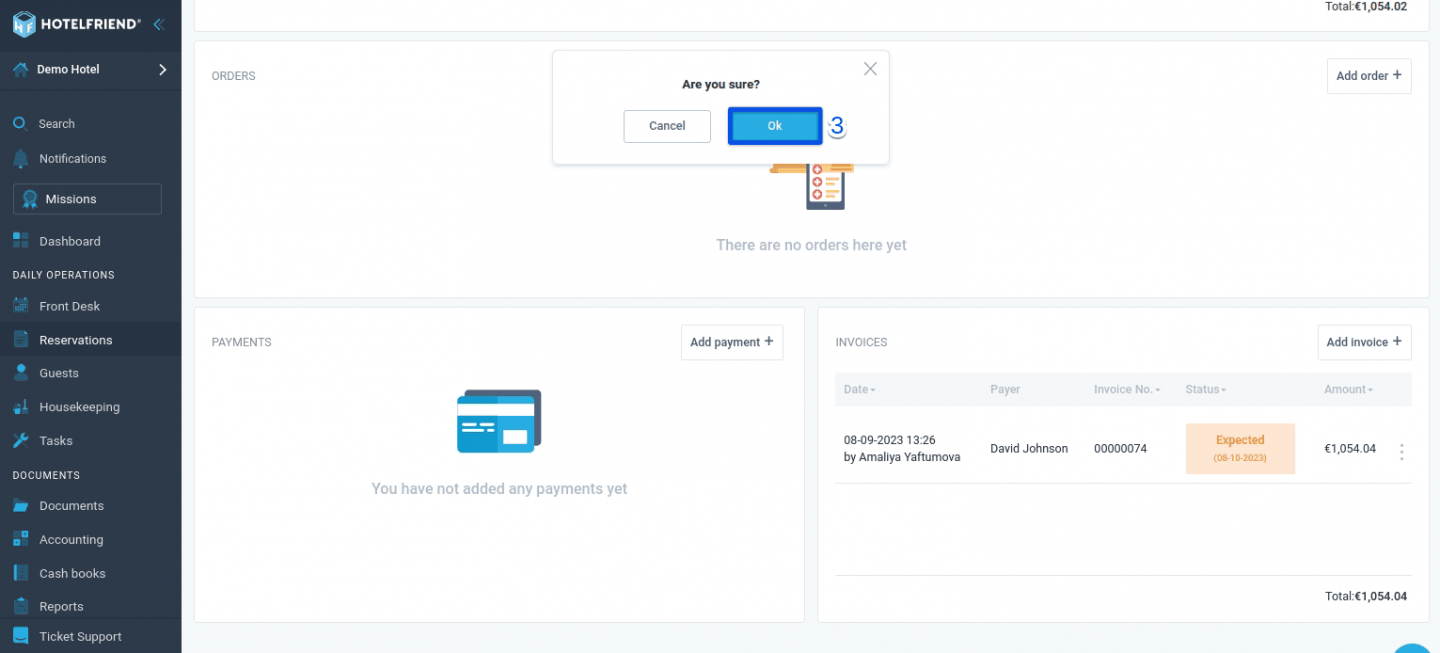
- To proceed with the cancellation, click the "OK" button.
You can follow similar steps to cancel an invoice from the Accounting module if needed.
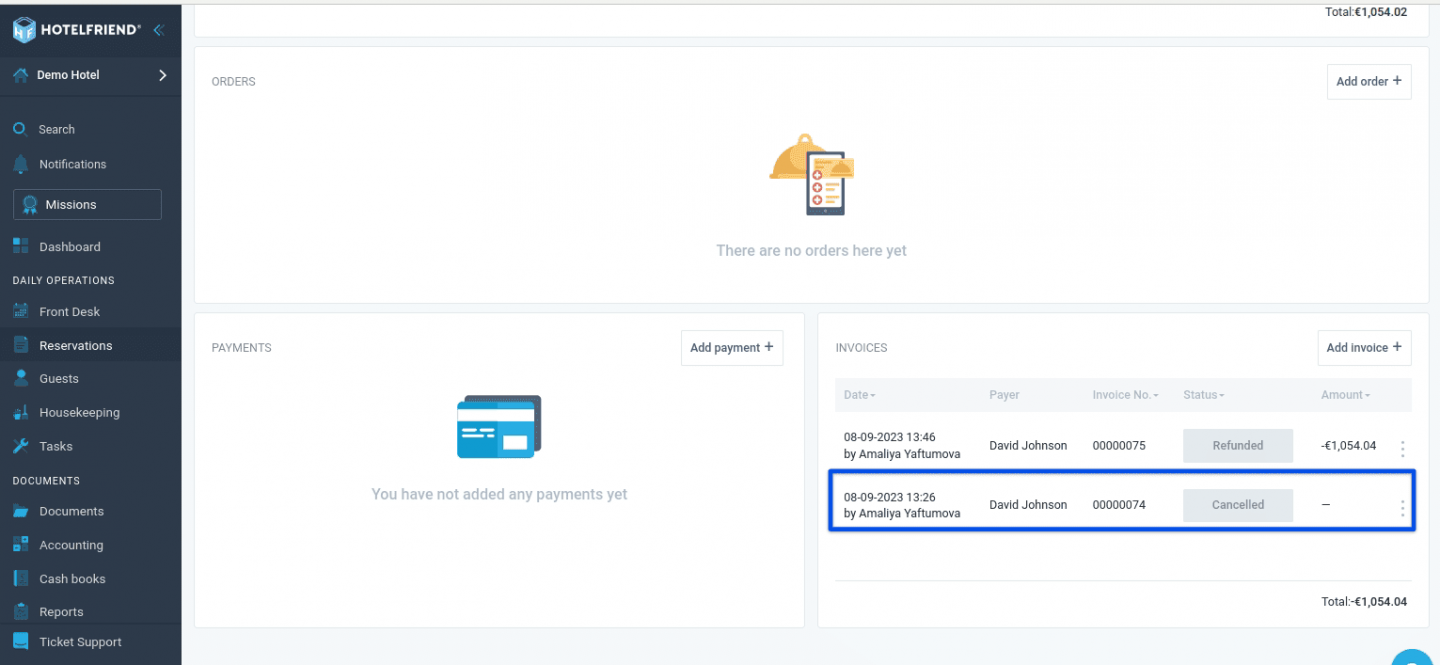
Important: Please note that if the invoice has already been paid, you must initiate a refund before attempting to cancel it. The refund process is explained in detail in our dedicated article: How to make a refund from the reservation card.
With these straightforward steps, you can easily cancel invoices for unpaid reservations in HotelFriend, ensuring smooth and hassle-free management of your bookings. If you encounter any difficulties, please don't hesitate to contact our support team for personalized guidance.
Author:

