

How to create a Booking Offer
When guests show interest in your accommodation, it's essential to respond promptly and provide them with a Booking Offer email that contains all the details about the room. With HotelFriend software, you can create and send a Booking Offer to potential clients within minutes of receiving their inquiries. Once confirmed, it will automatically transform into an actual booking.
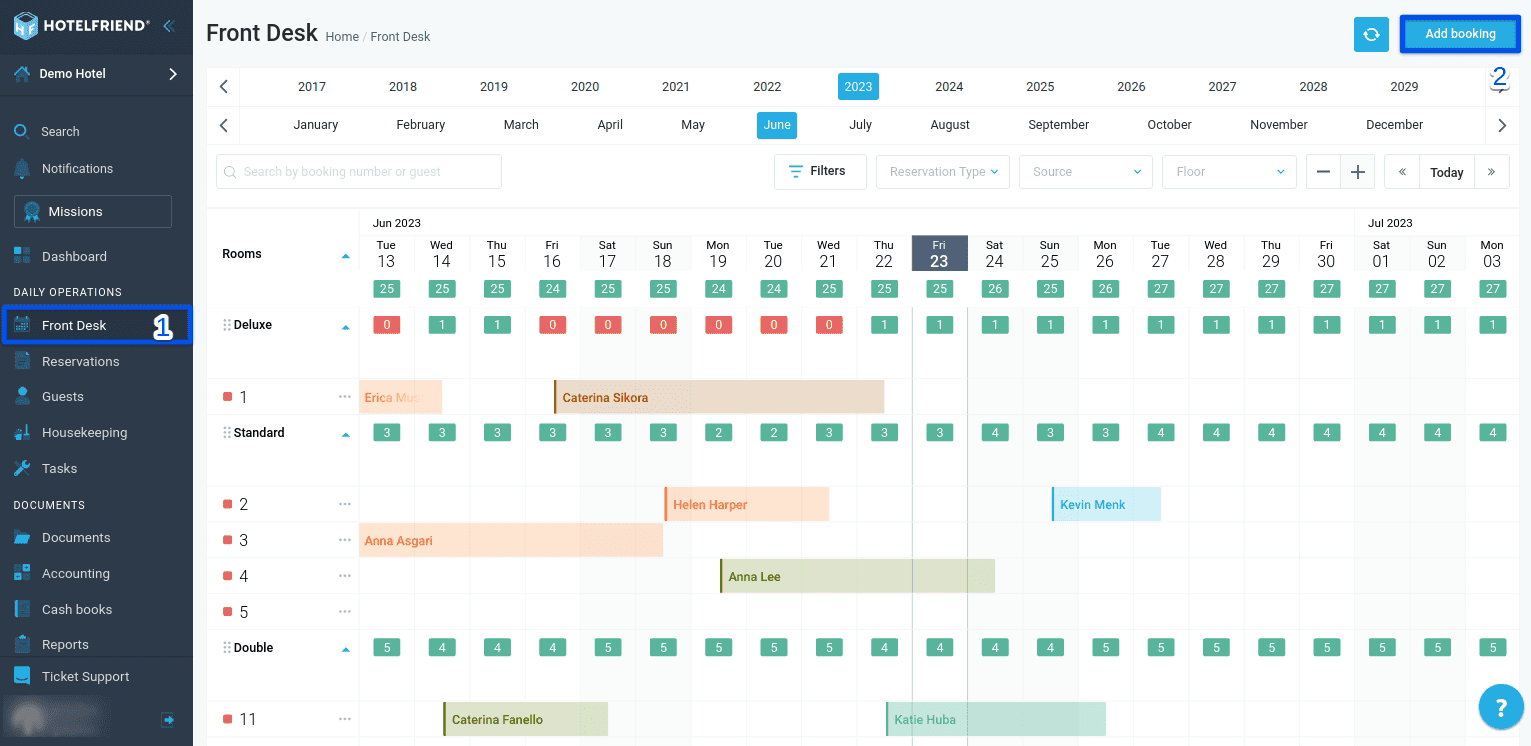
Here's how you can create a Booking Offer using either the Front Desk or Reservations module:
- Decide which module (Front Desk or Reservations) is more convenient for you to create the Booking Offer.
- In the upper right corner of the selected module, click "Add booking" to start creating the Booking Offer.
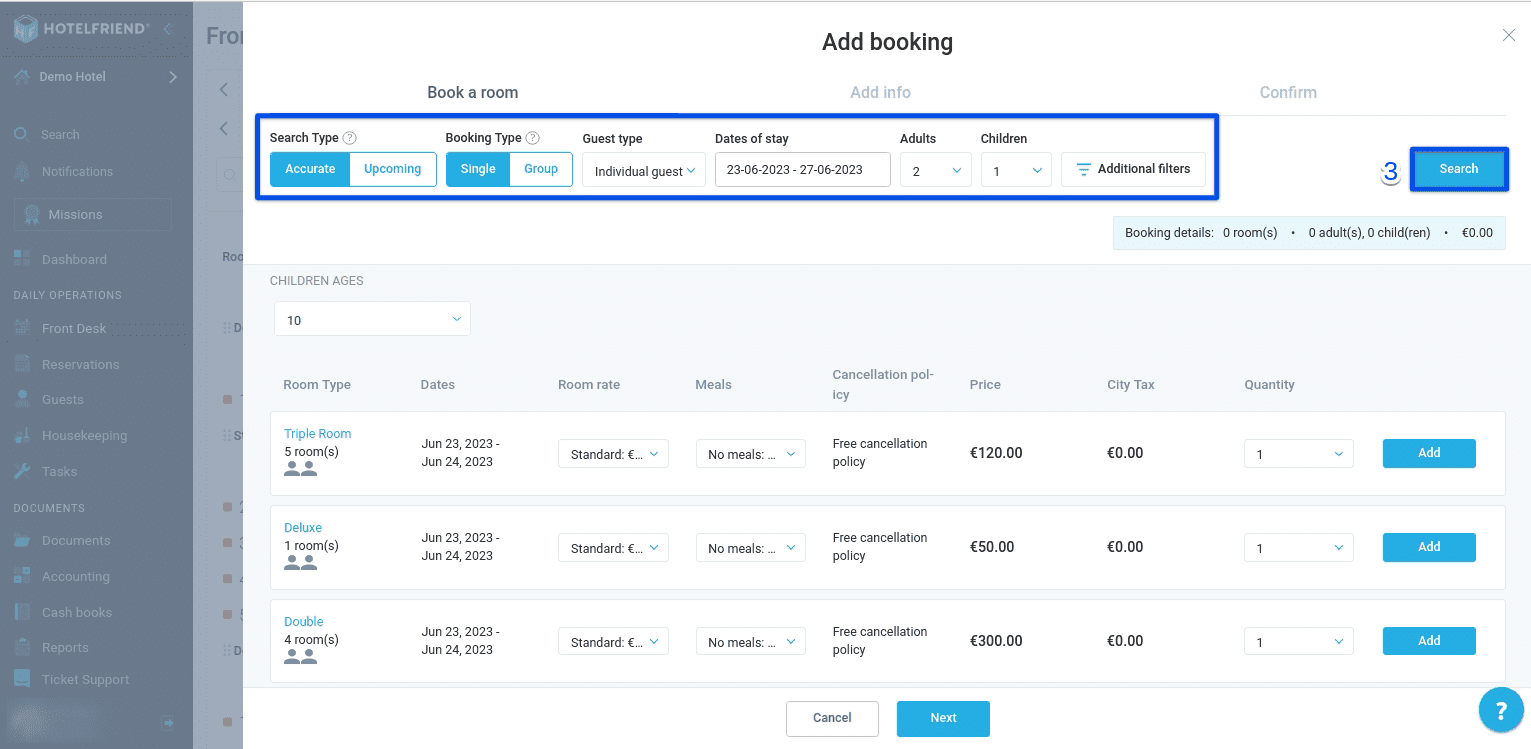
- The Search Type (accurate or upcoming);
- The Booking Type (single or group);
- The Guest Type from the dropdown box (individual guest or company guest);
- The Dates of stay in the calendar;
- The number of guests (adults and children). If there are children, please indicate their age.
- Press “Search”.
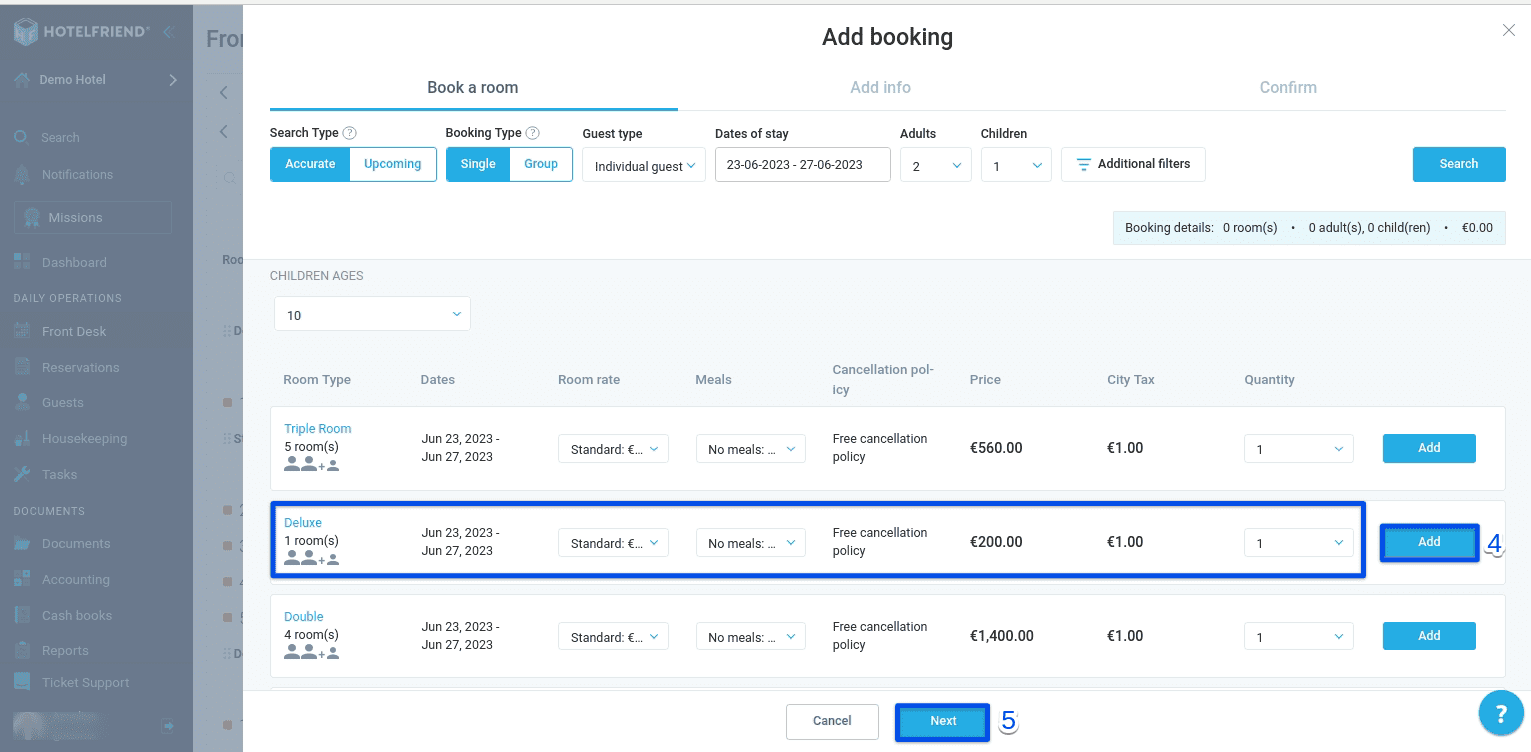
- From the options presented, select the desired room type, suitable room rate, meals, and the number of rooms needed. Click "Add" to include them in the Booking Offer.
- Click "Next".
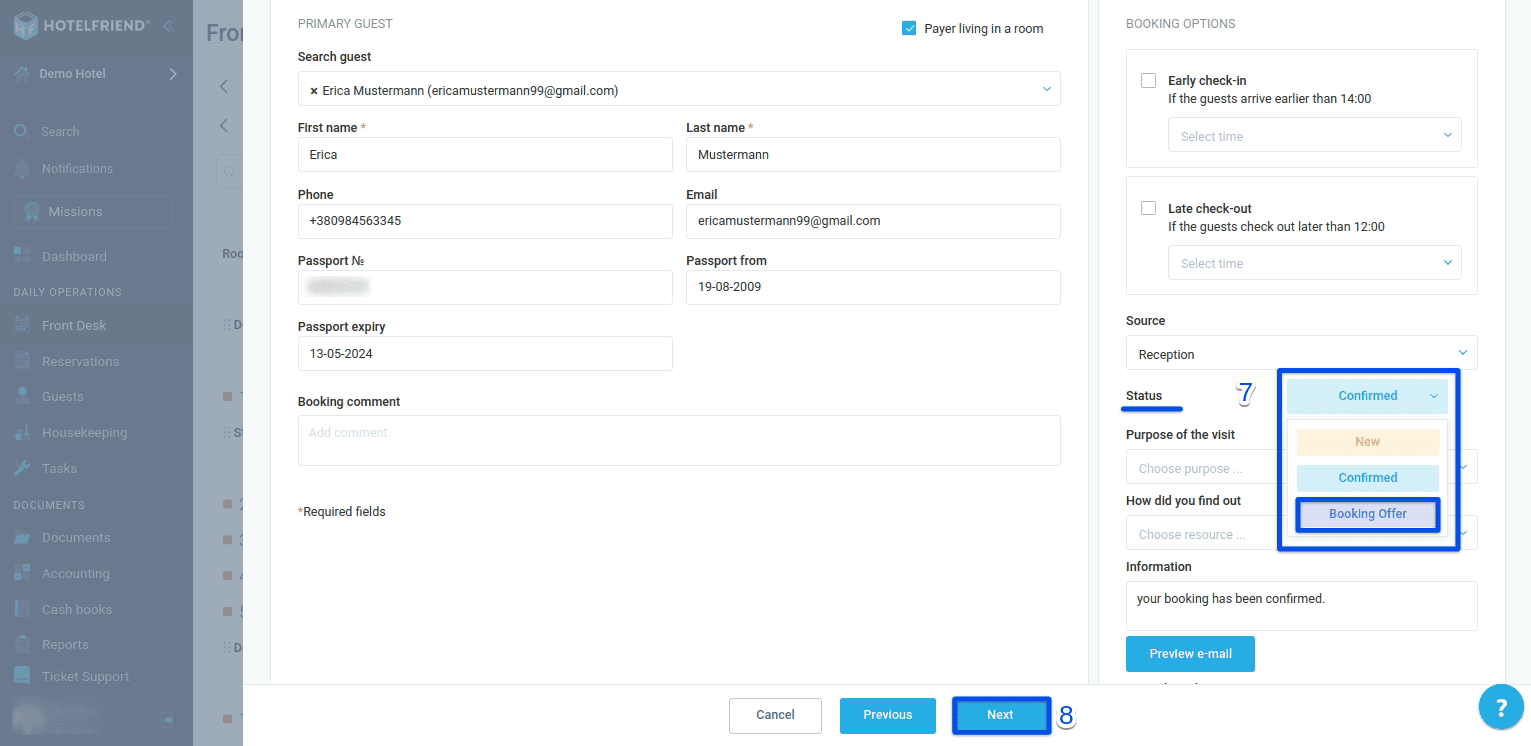
- In the new window, you'll need to provide information about the guest.
- From the drop-down list, select the status "Booking Offer" for this reservation.
- Click "Next".
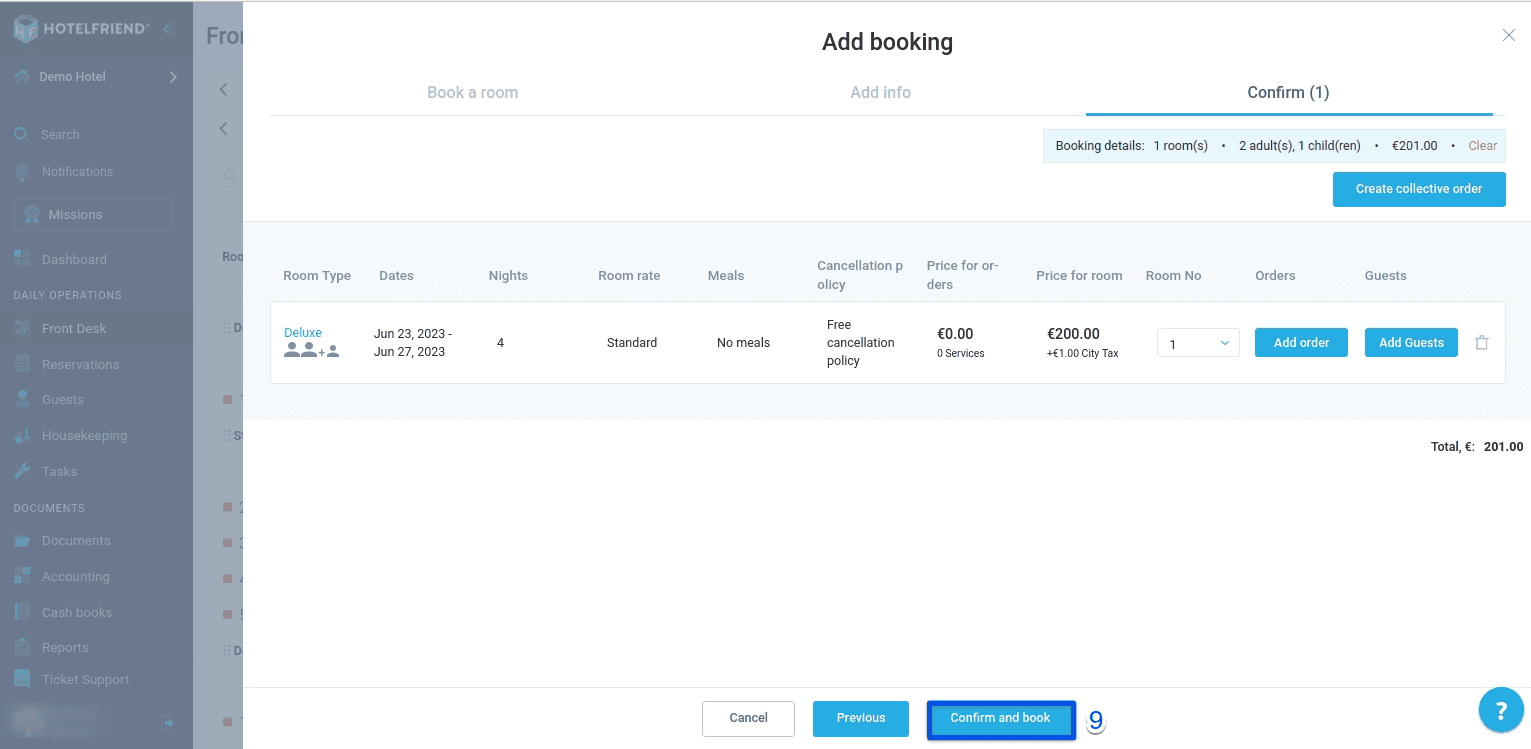
- Review the information and click "Confirm and book".
When creating the booking, make sure to specify the following parameters:
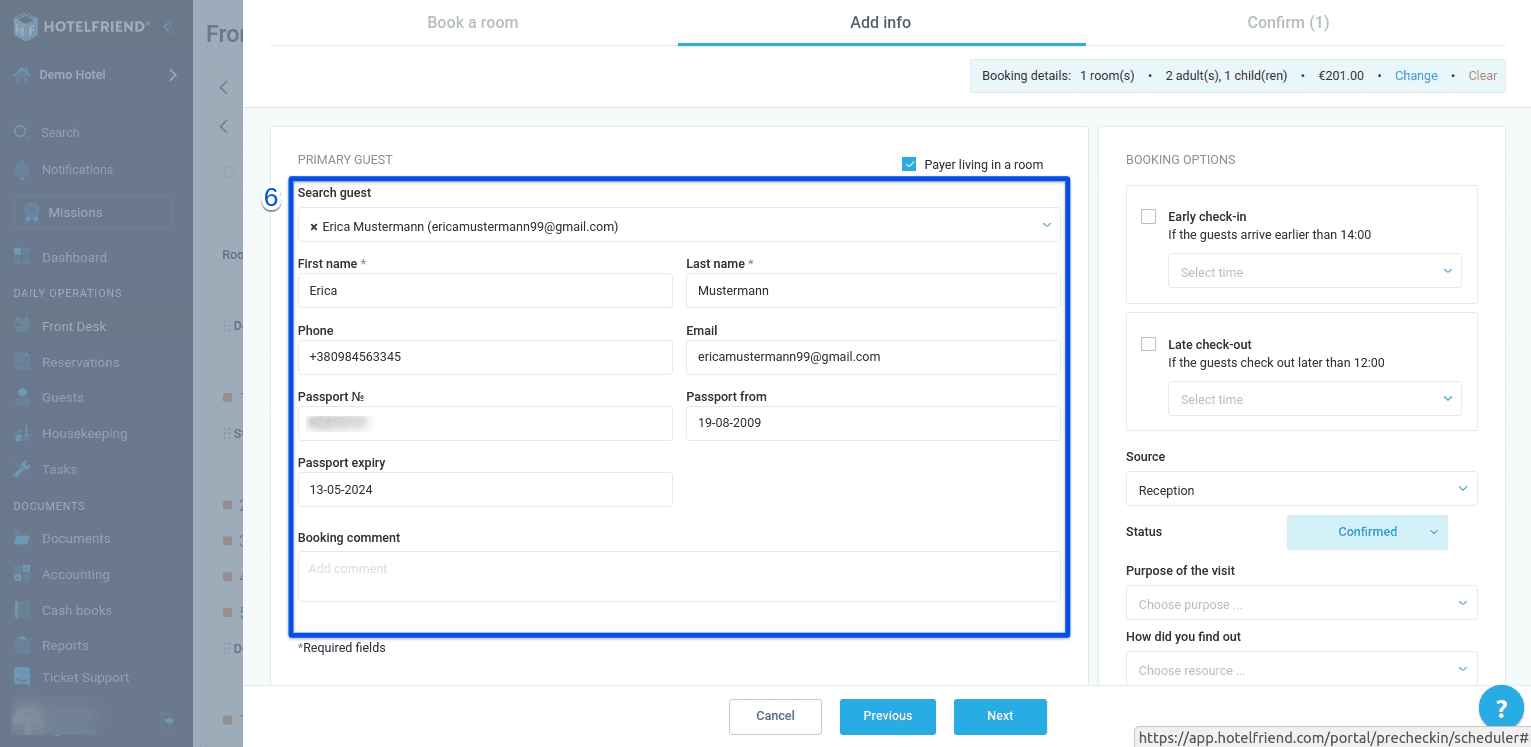
If the guest is already registered in the system, you can use the search filter to find their details. Otherwise, create a new guest profile and enter their personal and contact information accurately. It's important to provide the correct email address for the guest to receive the offer.
The HotelFriend software simplifies the entire booking process, enabling you to streamline operations and elevate guest satisfaction. With this user-friendly tool, you can efficiently generate Booking Offers, ensuring a seamless experience for both you and your guests.

