A mid-size hotel has nearly as much operational load as a 300-room flagship. A 2026 survey of 450 hotel operators found 89% say their PMS saves the team 2-10+ hours a week, and 92% say it cuts staff training time from weeks to days (HotelTechReport, 2026). That efficiency matters, since labor cost per occupied room still rose 1.8% year-over-year in Q1 2026 despite tighter labor deployment (Hospitalitynet, 2026). The PMS decision is one of the biggest decisions a mid-sized property makes all year. This guide goes deep on the important stuff: POS integration, platform fit, analytics, automation, and a realistic go-live path.
Why Mid-Size Hotels Have Unique Needs
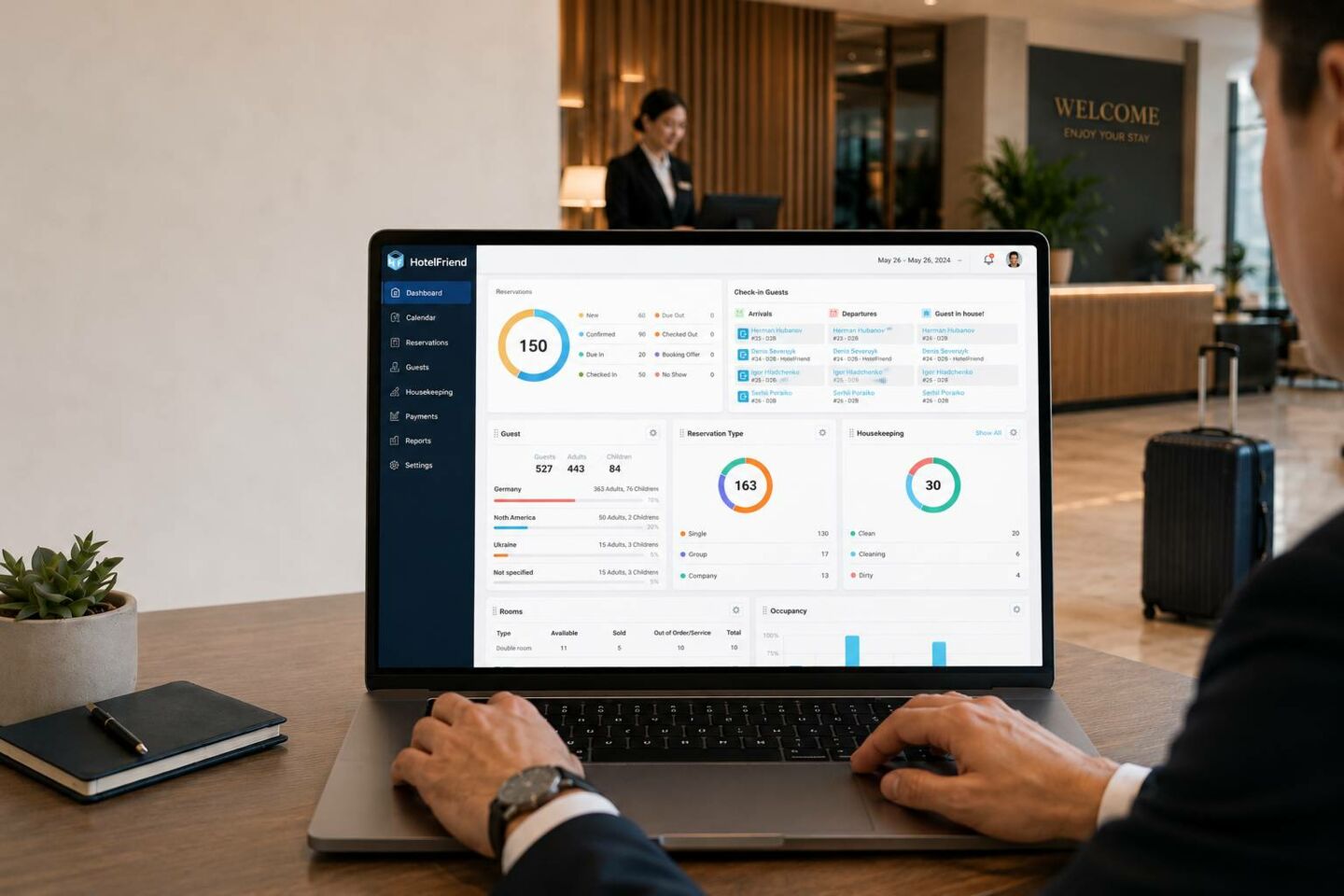
Properties in the 50–150 room range occupy an awkward middle ground in the hospitality industry. They're too large to run on spreadsheets and instinct, but too small to justify the infrastructure that big chains take for granted. This gap shapes almost every operational and purchasing decision they make.
Operational Complexity vs Chain Overhead
Mid-size hotels often manage many of the same operational demands as large hotel chains, from pricing and group bookings to housekeeping and guest communication. The key difference is not the level of complexity, but the resources available to handle it. The table below compares how large chains and mid-size hotels manage similar responsibilities with very different staffing and support structures.
Operational Complexity: Chains vs. Mid-Size Hotels
|
Category |
Large Hotel Chains |
Mid-Size Hotels |
|
Operational complexity |
Handle a broad range of operational demands, including multiple room types, group bookings, seasonal pricing, housekeeping coordination, and multichannel guest communication |
Face nearly the same operational complexity as a 300-room flagship property |
|
Staffing |
Rely on dedicated revenue managers, in-house IT specialists, and corporate support teams |
Usually rely on a general manager handling multiple roles and a lean front desk team |
|
Software support |
Have specialized teams responsible for software setup, maintenance, and troubleshooting |
Front desk staff often troubleshoot software issues between guest check-ins |
|
Support structure |
Benefit from specialized departments and extensive corporate resources |
Manage complex operations with limited staff and no dedicated technical support |
|
Main challenge |
Coordinate complex workflows across multiple departments and properties |
Handle significant operational complexity with a small team |
|
System requirements |
Need powerful systems that support large teams, specialized roles, and corporate workflows |
Need powerful, user-friendly systems that a lean team can operate without an IT department |
Budget & Feature Sweet Spot
Enterprise hotel software is often priced and packaged for chains: bundled modules, per-property licensing fees, and implementation timelines that assume a corporate IT team is footing the bill and managing rollout. That model doesn't work for a property watching every line item on its P&L.
At the same time, budget tools built for small B&Bs and 10-room inns often fall short of what mid-size hotels actually need. Common gaps include:
- ● Multi-department reporting
- ● Group booking management
- ● Channel manager integrations
- ● Staff permission controls
The result is a genuine sweet spot in the market. Hotels in this range need tools priced for a mid-size operation, not a flagship or a boutique guesthouse, with just enough feature depth to run a real operation without paying for capabilities they'll never use.
Best PMS Options for Mid-Size Hotels (50 Rooms)
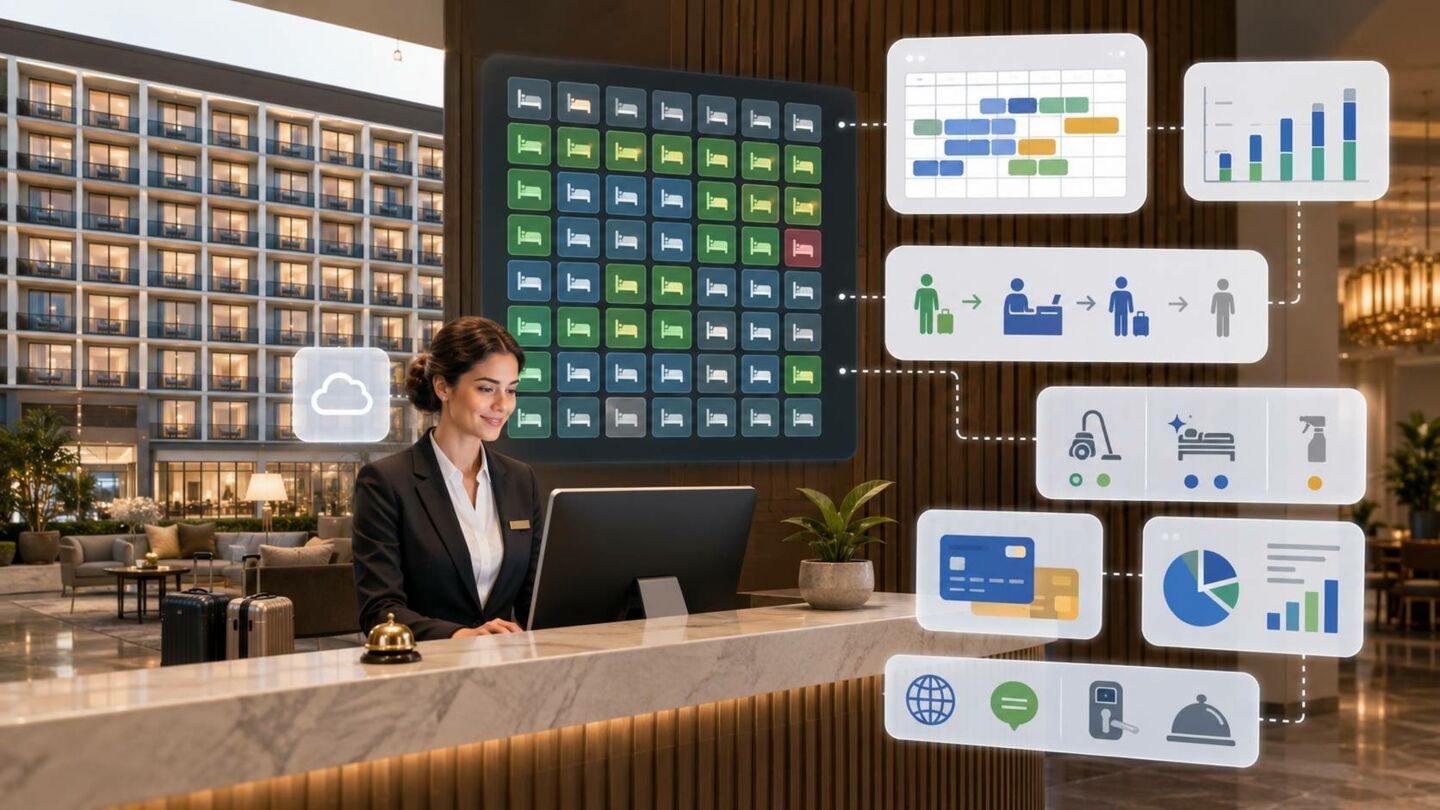
Once a property has roughly 50 rooms, most PMS platforms built for small B&Bs and boutique inns start to strain. At the same time, full enterprise systems are usually overkill, since the platform is built as the benchmark for enterprise hotel management and is used by large chains and luxury resorts that need deep configuration for complex group blocks and multi-departmental workflows. Mid-size hotels fall within a range where a handful of platforms are well-suited.
Top Picks Compared
The right PMS for a mid-size hotel should support complex daily operations without overwhelming a lean team. The options below combine core property management features with automation, integrations, and tools for improving guest service and operational efficiency.
Top 5 Mid-Size 50-Room PMS Options
|
PMS |
Best for |
Key strengths |
Trade-offs |
|
HotelFriend FLEX |
Mid-size hotels, growing independent properties, and small hotel groups |
Modular setup, front desk management, housekeeping, guest communication, booking tools, and multi-property capabilities |
The modular structure provides flexibility, but hotels must choose and configure the right combination of tools |
|
Cloudbeds |
Independent hotels and multi-property groups seeking an all-in-one platform |
Unified PMS, channel manager, booking engine, payments, revenue management, reporting, and group booking tools |
Its extensive feature set can make onboarding and staff training more demanding |
|
Mews |
Modern hotels focused on automation and digital guest journeys |
Cloud-native PMS, integrated payments, housekeeping, revenue tools, self-service options, and a large integration marketplace |
Its automation-first approach may be less suitable for hotels that prefer traditional workflows |
|
RoomRaccoon |
Independent and mid-size hotels seeking built-in automation |
PMS, channel manager, booking engine, automated guest communication, payment tools, mobile access, and revenue management |
Some advanced automation and revenue management features may depend on the selected package |
|
Hotelogix |
Independent hotels, resorts, and small to mid-size hotel groups |
Front desk operations, housekeeping, POS, booking engine, revenue management, reporting, and multi-property control |
Setup and integration requirements may vary, so hotels should assess onboarding and support before implementation |
(Information is taken from open sources. Valid as of July 2026)
PMS with POS Integration for Restaurant & Bar
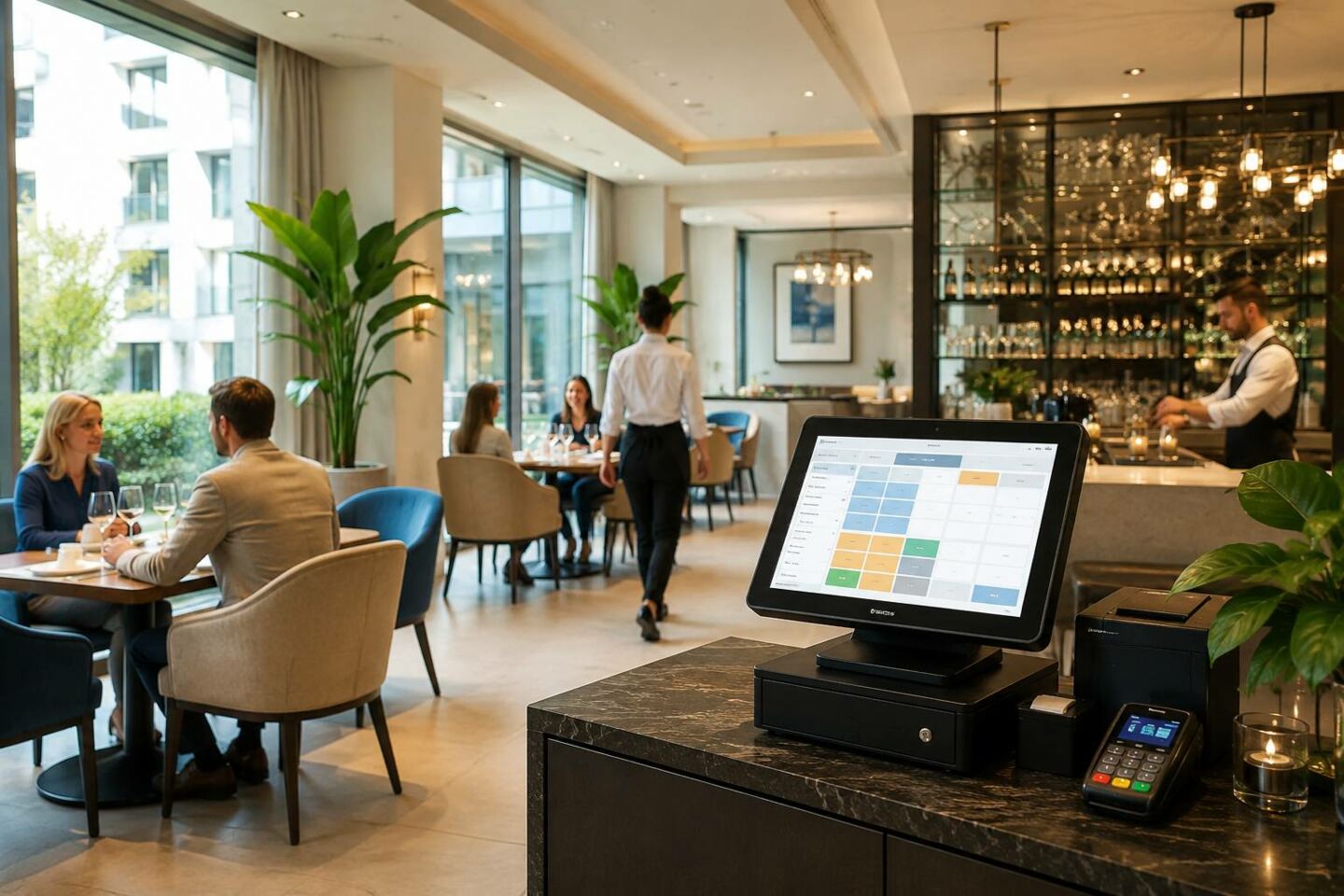
For a mid-size hotel running its own restaurant, bar, or room service, the PMS cannot operate in isolation. Once food and beverage become part of daily revenue, how well your POS integrates with your PMS becomes one of the most important technology decisions you make.
Why F&B Integration Matters
At its core, POS integration means that guest charges from the restaurant, bar, spa, or gift shop post directly to the room folio, eliminating the need for a separate cash or card transaction. With this kind of integration, charges reconcile automatically at checkout, which reduces billing disputes, fraud, and chargebacks.
Integrating POS removes friction across the entire operation. The results include:
- ● Eliminates manual steps between departments
- ● Creates a smoother experience for both staff and guests
- ● Lets charges flow automatically, so guests don't have to stop and pay every time they make a purchase
This matters even more at mid-size properties, because F&B volume is high enough to create real risk if systems don't talk to each other. At a mid-size property with two to four F&B outlets:
- ● Integration depth matters more, since higher transaction volumes amplify any billing errors
- ● This is also the scale where kitchen display systems start to become worth the investment
The goal, as one review put it plainly, is no manual posting, no delayed syncing, and no middleware workarounds.
Looking ahead, this kind of connectivity is only becoming more central to hotel operations. Industry predictions for 2026 point to integrated PMS and POS systems that will:
- ● Enable automated task routing from POS orders to the kitchen and on to room delivery
- ● Make cross-outlet profitability measurable and optimizable once PMS and POS operate as a single intelligence layer
Best Solutions Compared
F&B integration can vary significantly across hotel management platforms. Some solutions include native POS tools within the PMS, while others rely on third-party integrations. The table below compares how five leading platforms connect restaurant, bar, payment, and guest folio operations for mid-size hotels.
PMS with POS Integration Table
|
Platform |
F&B integration model |
How it works |
Best for |
Trade-offs |
|
HotelFriend FLEX |
Native, all-in-one integration |
• Unified PMS, POS, payments, and guest tools • Shared Front Desk dashboard • Automated transaction sync |
Mid-size hotels that want to manage front desk, F&B, payments, and guest services in one system |
Reduces manual reconciliation, but hotels need to configure the right combination of FLEX modules |
|
Cloudbeds |
Integrated platform with POS connections |
• Connects PMS, payments, and POS • Keeps operations in one ecosystem • Centralizes transaction data |
Boutique hotels, independent properties, and smaller hotel groups already using Cloudbeds |
The experience may depend on the selected POS setup and available integrations |
|
Mews |
Native PMS and POS ecosystem |
• Combines PMS, POS, and payments • Connects hotel and F&B workflows • Supports automation |
Modern mid-size hotels focused on automation and unified digital workflows |
Its automation-led approach may require changes to established operational processes |
|
RoomRaccoon |
Third-party marketplace integration |
• Connects external POS systems • Adds charges to guest folios • Reduces manual tracking |
Hotels that already use a preferred POS system or want more integration choice |
Offers flexibility, but relies more heavily on third-party connections than native POS functionality |
|
Hotelogix |
Native POS module |
• Supports multiple F&B outlets • Handles dining and event orders • Enables mobile ordering and payments |
Small and mid-size hotels with several F&B outlets or on-property dining services |
Provides strong native functionality, but setup and integration requirements may vary by property |
(Information is taken from open sources. Valid as of July 2026)
PMS with Analytics Dashboards for Occupancy & Revenue
A PMS that only tracks reservations is only doing half the job. For a mid-size hotel, the reporting layer is what turns daily operational data into pricing decisions, staffing plans, and a clear read on whether the property is actually performing. This is also where platforms differ most, since some build analytics natively into the PMS, while others offer them as add-ons.
Reporting Capabilities Compared
To make these differences easier to weigh, here's how the reporting capabilities of each platform stack up side by side, along with where each one fits best for a mid-size property.
Analytics Dashboards for Occupancy + Revenue for Mid-Size Hotels
|
Platform |
Reporting capabilities |
Key advantage |
Best fit for mid-size properties |
|
HotelFriend FLEX |
• Occupancy reports • Revenue tracking • ADR monitoring • Performance trend analysis |
Provides clear built-in insights for daily operational and revenue decisions |
Mid-size hotels that need accessible reporting without a separate BI platform |
|
Cloudbeds |
• Customizable dashboards • Near-real-time reports • Revenue analytics • Multi-property consolidation |
Native Insights reads directly from PMS data without import delays or extra cost |
Mid-size independent hotels and small groups that need advanced reporting within their PMS |
|
Mews |
• Automated reporting • KPI tracking • Live occupancy data • Revenue and operational reports |
Provides live performance insights directly from the main dashboard |
Mid-size hotels that prioritize automation, live KPIs, and real-time performance monitoring |
|
Hotelogix |
• Financial reports • Occupancy forecasts • Revenue analysis • Multi-property reporting • Exportable datasets |
Supports period comparisons across booking, occupancy, and revenue data |
Mid-size hotels and small groups that need detailed financial and multi-property reporting |
|
RoomRaccoon |
• Booking reports • Revenue reporting • Channel performance tracking |
Combines core performance reporting with its all-in-one hotel management platform |
Mid-size independent hotels that need straightforward booking, revenue, and channel reports |
(Information is taken from open sources. Valid as of July 2026)
Real-Time Dashboards
Real-time visibility is really the whole point of these dashboards. A good analytics dashboard lets staff pull up any key metric and see it in context, including:
- ● Current numbers for room revenue, occupancy, RevPAR, or ADR
- ● Last year's actuals
- ● The same point in time last year
- ● Budget figures, where available
Data can usually be grouped by week or month and viewed as a chart or a table. Before paying for a separate analytics platform, it's worth checking whether your native dashboard already answers your questions. Hoteliers often find that even after investing in a standalone BI tool, they still open their PMS's native reports first, since they load faster and already have the metrics used for everyday pricing decisions.
The math tends to back this up: for a smaller property at typical occupancy, a standalone analytics subscription can easily cost more than the RevPAR gain it delivers. So the smarter move is usually to max out the dashboard you already have. A separate BI tool only earns its keep once your property has genuinely outgrown what your PMS can show you.
Mid-Size Hotel Automation
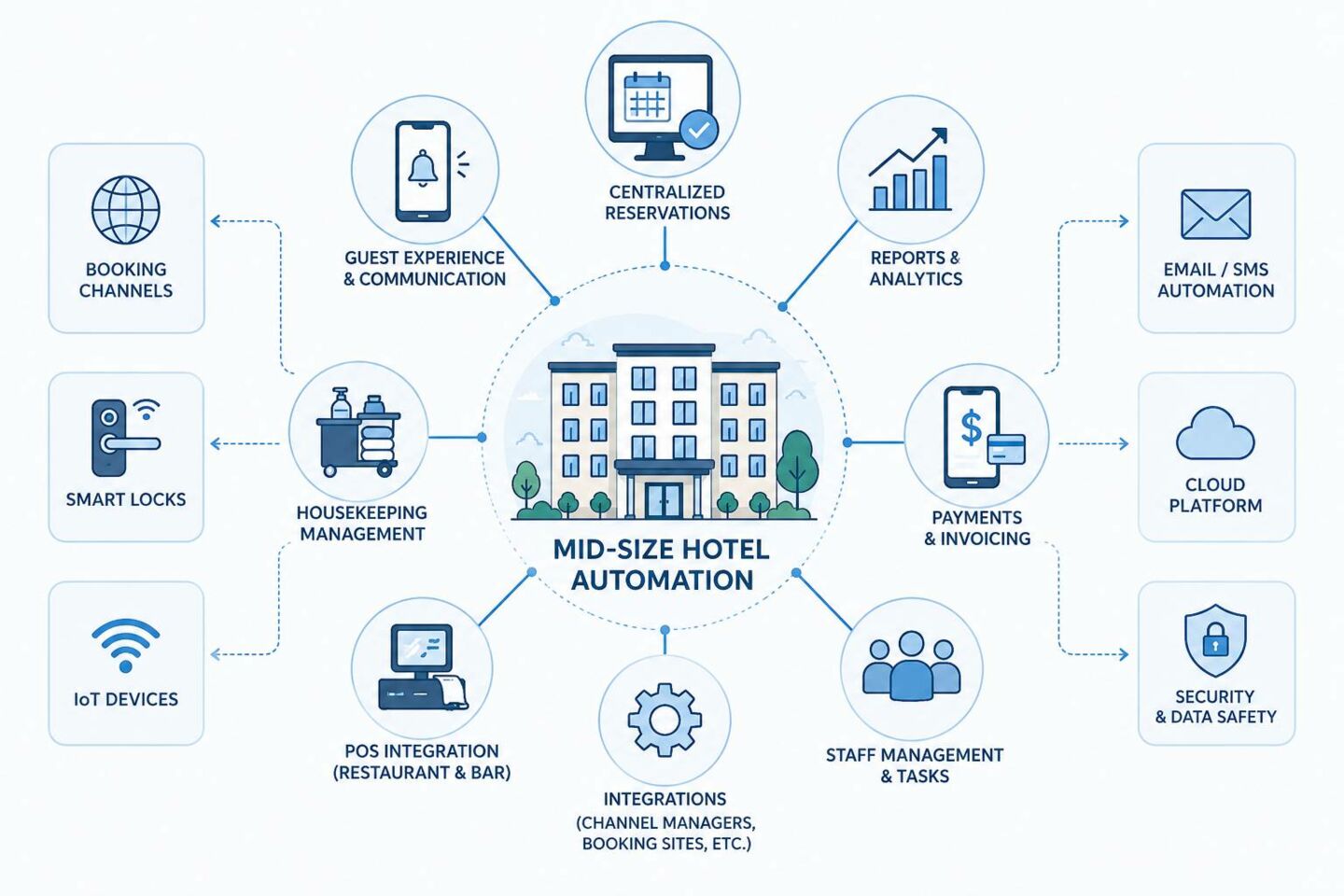
For a mid-size hotel, automation is the difference between a lean team keeping up with the property and that same team drowning in manual tasks every time occupancy climbs. The right PMS handles repetitive, error-prone work in the background so staff can focus on guests rather than data entry.
"The properties that get the most out of automation aren't the biggest ones. They're the ones with the leanest staff, because that's exactly where every saved hour actually shows up on the schedule." - HotelFriend engineer.
Software That Automates Mid-Size Workflows
The biggest wins tend to come from a handful of workflows that eat up staff time without adding any real value when done by hand.
- ● Channel and inventory sync: Real-time synchronization of room availability across channels, dynamic pricing based on demand and market conditions, and prevention of overbooking through centralized inventory control remove one of the most time-consuming manual tasks front desk teams face.
- ● Rate and revenue management: Automated rate adjustments across channels reduce the daily manual work of updating prices property by property, and this is consistently flagged as one of the fastest-paying-off investments. RMS and channel managers are considered "quick wins," offering high impact with easy implementation and a payback period often within 3 to 6 months.
- ● Staff scheduling and labor management: With labor expenses accounting for up to 40% of total operating costs, automated scheduling helps hotels better align staffing levels with guest demand.
- ● Guest communication and check-in: Automated pre-arrival, mid-stay, and post-checkout messaging removes routine front desk work while keeping guest communication consistent.
- ● Reporting and reconciliation: Automated reporting replaces manual spreadsheet compilation. It gives managers accurate numbers without extra staff time spent pulling them together.
ROI Calculation Examples
To make the numbers concrete, here's how the math could work out for a mid-size property running HotelFriend FLEX. These examples use industry benchmark ranges applied to a hypothetical 80-room hotel, so treat them as a framework you can plug your own numbers into.
Example 1: Time savings on daily operations
- ● Hours saved per week (automated channel sync, reporting, rate updates): 5 hours
- ● Weeks per year: 52
- ● Total hours saved annually: 5 × 52 = 260 hours
- ● Average fully loaded staff cost: €20/hour
- ● Annual value of time saved: 260 × €20 = €5,200
Example 2: Reduced front-desk staffing needs
- ● Current annual front-desk payroll: €180,000
- ● Labor efficiency gain from automation (8 to 15% range):
- ● Low end: €180,000 × 8% = €14,400
- ● High end: €180,000 × 15% = €27,000
- ● Estimated annual savings: €14,400 to €27,000
Example 3: Revenue lift from automated rate and POS integration
- ● Current annual room revenue: €1,800,000
- ● RevPAR improvement from automation (18 to 28% range) is a broad figure covering tech-forward hotels overall, so a more conservative estimate isolating rate automation and reduced overbooking alone (roughly 4 to 7%) is more realistic for a single-feature comparison:
- ● Low end: €1,800,000 × 4% = €72,000
- ● High end: €1,800,000 × 7% = €126,000
This is separate from any F&B upsell captured through POS integration.
Putting it together
- ● Low-end annual gain: €5,200 (time) + €14,400 (labor) + €72,000 (revenue) = €91,600
- ● High-end annual gain: €5,200 (time) + €27,000 (labor) + €126,000 (revenue) = €158,200
Against a HotelFriend FLEX subscription cost of roughly €960 to €1,500 a year for an 80-room property (based on the €80 to €125/month PMS pricing tier), even the conservative low-end estimate clears the software cost many times over. That lines up with why RMS and channel manager automation are generally considered "quick win" investments with payback periods of 3 to 6 months.
Note: these are illustrative calculations based on industry benchmark ranges. Actual results depend on your property's current baseline, staffing structure, and the extent of automation.
DACH Region: Compliance and Market Considerations for Mid-Size Hotels
Hotels in Germany, Austria, and Switzerland (DACH) face a regulatory and market layer that most international PMS buying guides gloss over, and it changes the shortlist. A platform can be excellent everywhere else and still be the wrong choice for a property in Munich, Vienna, or Zurich if it wasn't built with local rules in mind.
Data Protection Is Not One Rulebook, but Two
Germany and Austria fall under the EU's GDPR, implemented in Germany as the DSGVO. Switzerland, as a non-EU country, follows its own revised Federal Act on Data Protection (revDSG, also known as nDSG), which overlaps with but is not identical to the GDPR. Any PMS handling guest-level data for personalized pricing or marketing (booking history, segment profiles, behavioral signals) needs to be evaluated on:
- ● Where guest data is stored (Switzerland or the EU/EEA, specifically, for Swiss properties)
- ● How sub-processors are disclosed
- ● Whether the vendor offers a proper data processing agreement
For hotels in all three countries, digital registration cards, copies of IDs at check-in, and even dining preferences are covered by this protection.
Germany Layers on GoBD and TSE
GoBD governs proper digital bookkeeping. Invoices, receipts, and booking data must be archived completely and traceably, in an audit-proof, unalterable format, generally for 10 years. Separately, since July 2025, cash registers and POS systems used in Germany require:
- ● A certified Technical Security Device (TSE)
- ● A registration requirement for that device
- ● DSFinV-K export capability for tax audits
A PMS with an integrated F&B POS that isn't TSE-certified for the German market creates real audit exposure for a hotel running its own restaurant or bar.
Austria and Switzerland Have Their Own Fiscalization Rules
Germany isn't the only market with hardware and reporting rules attached. Austria and Switzerland each layer on their own requirements that a PMS needs to support out of the box:
- ● Austria requires RKSV compliance for cash registers, broadly analogous to Germany's TSE.
- ● Switzerland's data protection authority also enforces an "AIG" notification duty for hotels reporting certain guest stays, an everyday operational matter rather than a one-off compliance project.
E-Invoicing Is Becoming Mandatory, Not Optional
Germany has required businesses to receive e-invoices since January 1, 2025, with mandatory B2B e-invoice issuance phasing in from January 1, 2027, in the XRechnung or ZUGFeRD formats. A PMS that can't generate compliant e-invoices out of the box will need a workaround before that deadline arrives.
Rate Parity Works Differently Here
Unlike in much of the rest of Europe, narrow and wide rate-parity clauses are largely unenforceable in Germany, Austria, and Switzerland following rulings by national courts and competition authorities. That gives DACH hotels more room to set different rates across their own website, OTAs, and other channels. It also means a channel manager needs to handle genuinely independent, non-parity pricing cleanly.

Buying Checklist
Choosing a PMS is a decision you'll live with for years, not months, so it pays to slow down before signing a contract. Two things matter most at this stage: making sure the system actually fits a property your size, and knowing what to expect once you commit.
Sizing the Solution
Before comparing vendors, get clear on what "the right size" actually means for your property. Use this checklist to size the solution correctly:
- ● Match room count to platform positioning. Make sure the vendor's platform is built for your room count, not scaled down from enterprise software or up from a small-inn tool.
- ● Count your F&B and revenue outlets. A restaurant, bar, or spa needs POS integration depth. Rooms-only properties don't need to pay for that complexity.
- ● Map workflows to features. List every task your team still does manually and check which ones the PMS actually automates.
- ● Check your staffing reality. Prioritize simple interfaces and strong onboarding support over deep configuration options.
- ● Model the full cost. The subscription price is only part of the total cost. Factor in implementation, training, integrations, and payment processing, since a pricier system that cuts manual workarounds can still be cheaper over two years.
- ● Ask for references at your size. Talk to hotels with similar number of rooms about implementation timeline and post-launch experience.
- ● Define success upfront. Document what success looks like at 30, 60, and 90 days before signing, so both your team and the vendor are accountable.
Implementation Timeline
Timelines vary significantly by vendor and property complexity. It helps to know the general range before you commit to a go-live date.
- ● The most common delay isn't technical. More delays caused by inadequate training time for staff than the setup itself. Budget as much time for training as for configuration.
- ● Time your go-live carefully. Pick a date that avoids peak occupancy periods like holidays or local events, and launch during your slowest week so staff has room to troubleshoot.
- ● Keep support close during week one. Request live vendor support for the first week and give each department a checklist to flag issues such as sync errors or incorrect reports.
- ● Review at 30 days. Ask your team what's working and what isn't, then use that feedback to fix training or configuration gaps early.
Realistic expectations matter here. Most mid-size properties should plan for somewhere between two weeks and two months from contract to go-live, depending on how many integrations (POS, channel manager, payment gateway) are involved. Vendors that promise same-day go-live for a full-featured, multi-integration setup are usually underselling the training and data migration work still required behind the scenes.