
Product Updates v4.34 + v4.35: Accurate Booking, Trustworthy Invoicing & Clearer Front Desk Communication
Product Updates v4.34 + v4.35 brings accurate booking functions, faster invoicing, a clearer front desk, easier event management, and clearer automation timing for hoteliers.
Aug 19, 2026 2:05 PM
Product Updates v4.34 + v4.35 improves booking, invoicing, front desk, events, reporting, and communication: guests see accurate real-time pricing, hoteliers get faster invoicing, clearer reservations, easier event management, legible occupancy reports over longer ranges, and at-a-glance automation timing - saving time and giving hoteliers more control.
1. Booking Engine & BE Pro
These improvements relate to the Direct Sales module.
Faster, accurate "price from" values are now live across the Booking Engine and Booking Engine Pro alongside a set of search and filtering improvements:
- ● The new minimum-rate-price strategy delivers accurate "price from" values faster, showing guests correct starting prices across more adult/child combinations.
- ● Higher guest limits for large groups. Higher guest limits for large groups. Now accepts the same guest limits as reception: up to 200 adults and 80 children, with a children-age selection in the calendar adapted for large groups.
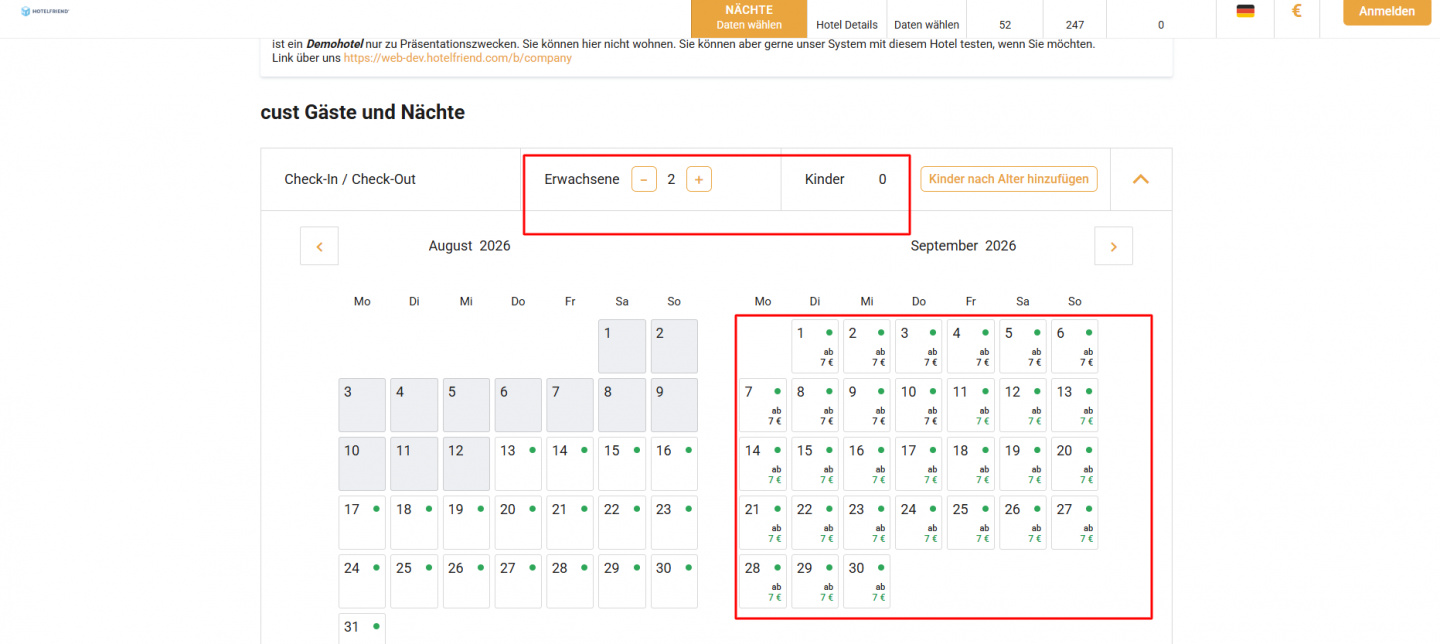
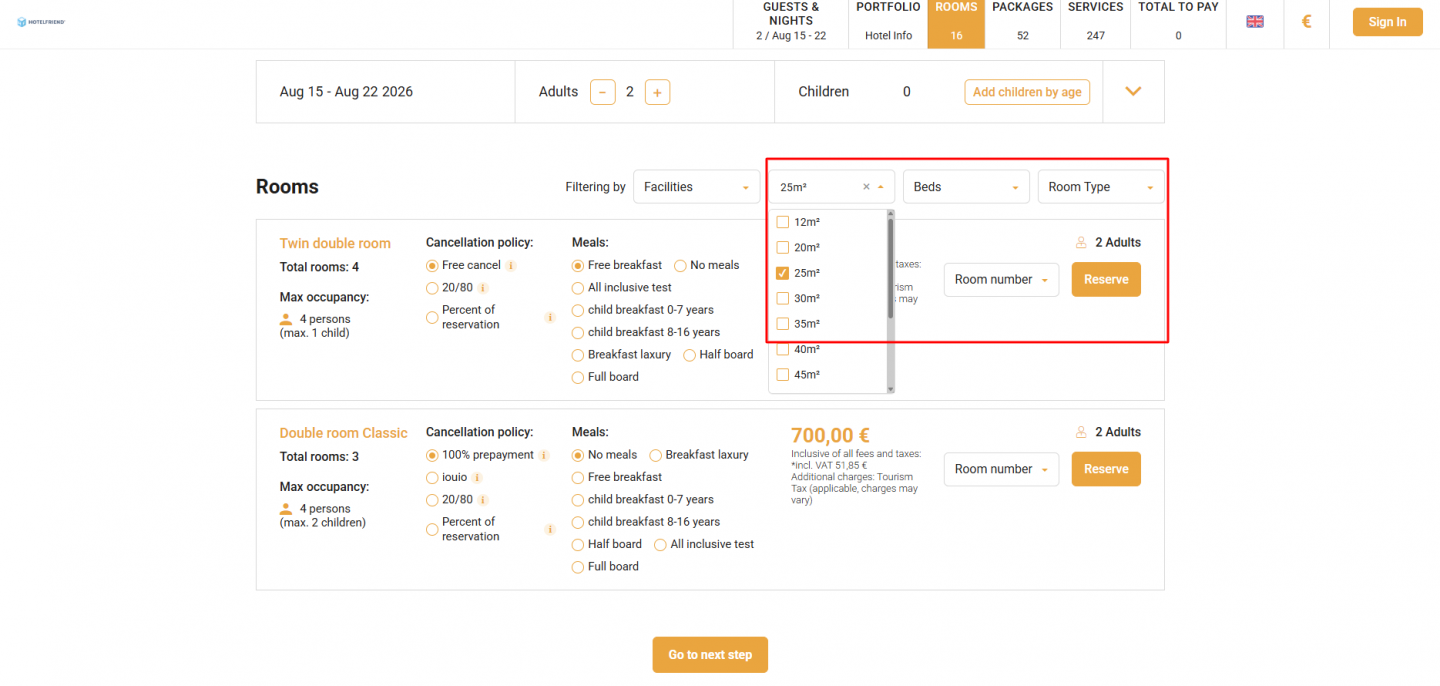
- ● Multi-select for Area and Room Type filters lets guests tick several Areas and several Room Types at once, the same way the Beds and Facilities filters already work.
- ● Accurate group search in detailed view: group searches now use the full advanced search instead of the old single-adult request.
New booking controls and Pro-site customization give hoteliers more control over bookings and more flexibility to match their brand, across both Booking Engine and Booking Engine Pro:
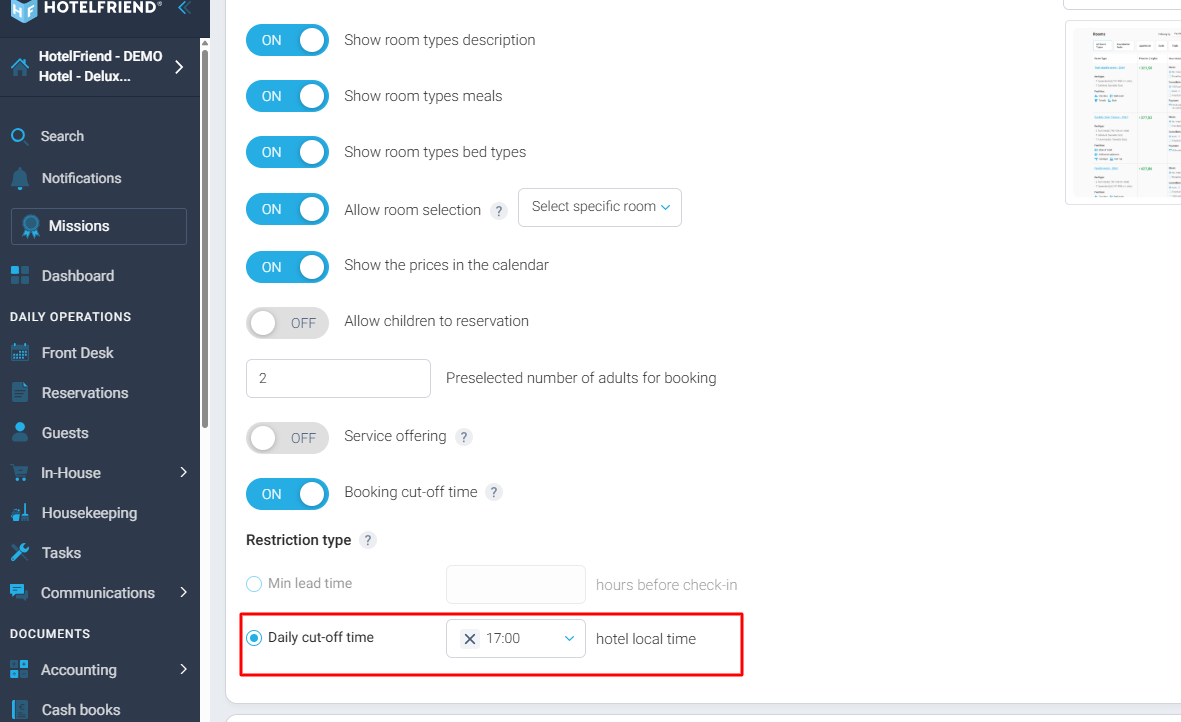
- ● Booking cutoff time. Block last-minute bookings with a minimum lead time (hours before check-in) or a daily cutoff (for example, no same-day bookings after 5 PM local time).
These updates matter for hoteliers because they keep what guests see during search accurate to what they'll actually pay and book, reducing abandoned searches, pricing disputes, and lost group reservations. The added booking controls also give hoteliers more control over exactly when guests can book, protecting operations from unmanageable last-minute arrivals.
Updates for BE Pro:
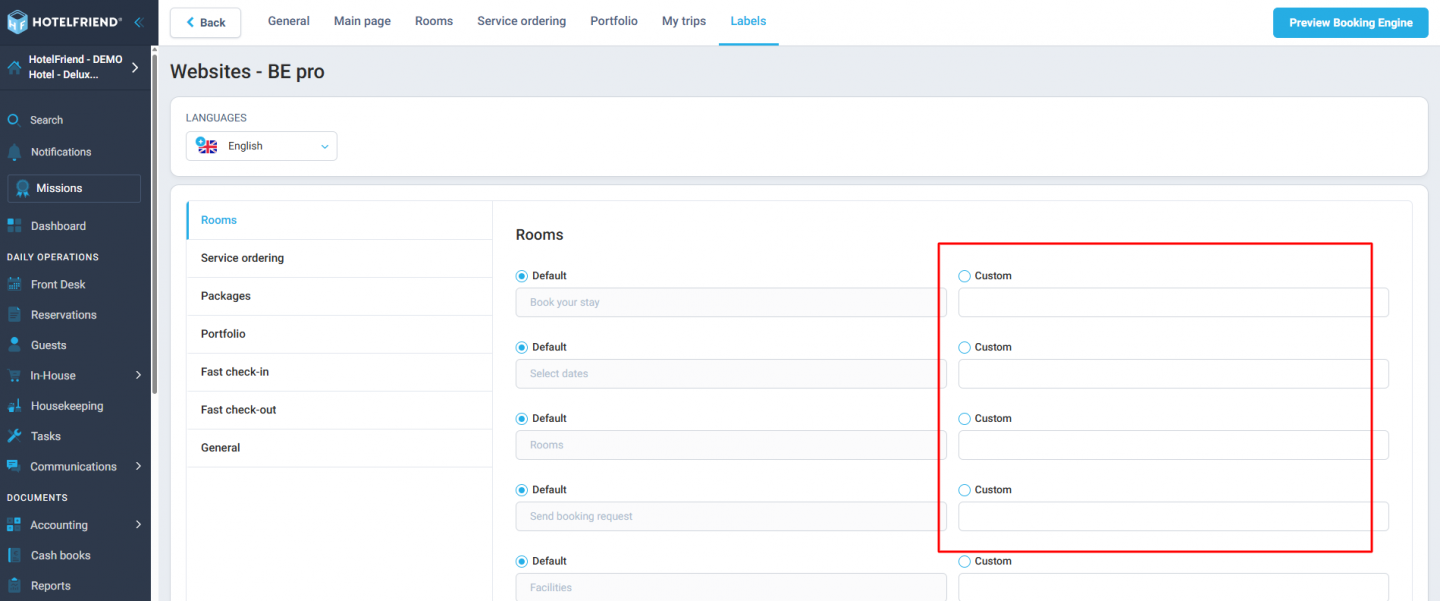
- ● Label values managed on the Portal can now be applied to BE Pro websites.
- ● "Send booking request" button now shares the same styling as all other buttons, keeping it clearly visible even when the hotel applies custom brand colours.
These updates give hoteliers greater consistency with less manual effort: centralised labelling keeps multi-property sites organised at scale, while standardised button styling ensures the booking call-to-action remains visible and functional, no matter how a hotel customises its branding.
Booking Engine updates:
- ● Improved pagination in deals after filtering. Sorting deals by nights or guests no longer produces empty pagination pages.
- ● Adults and children are now separated in deal filtering. This is consistent with room search and easier for families.
Hoteliers can make their Booking Engine feel like a natural extension of their brand, building guest trust and recognition from the first click.
2. Invoicing, Payments & Tax
These improvements relate to the Accounting module.
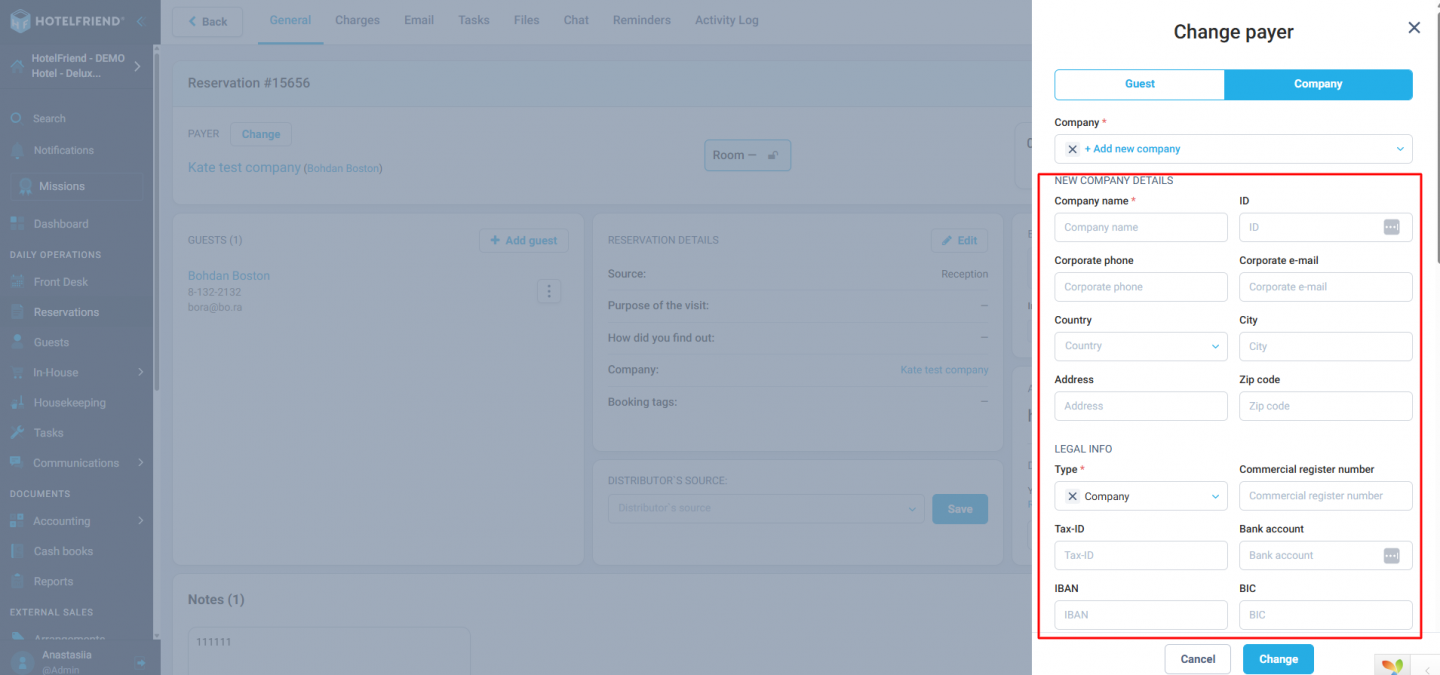
You can add or edit addresses right in the Invoice modal, on Step 2:
- ● Address details can be added or corrected without leaving the invoicing flow
- ● This removes an extra step during a process hoteliers do constantly
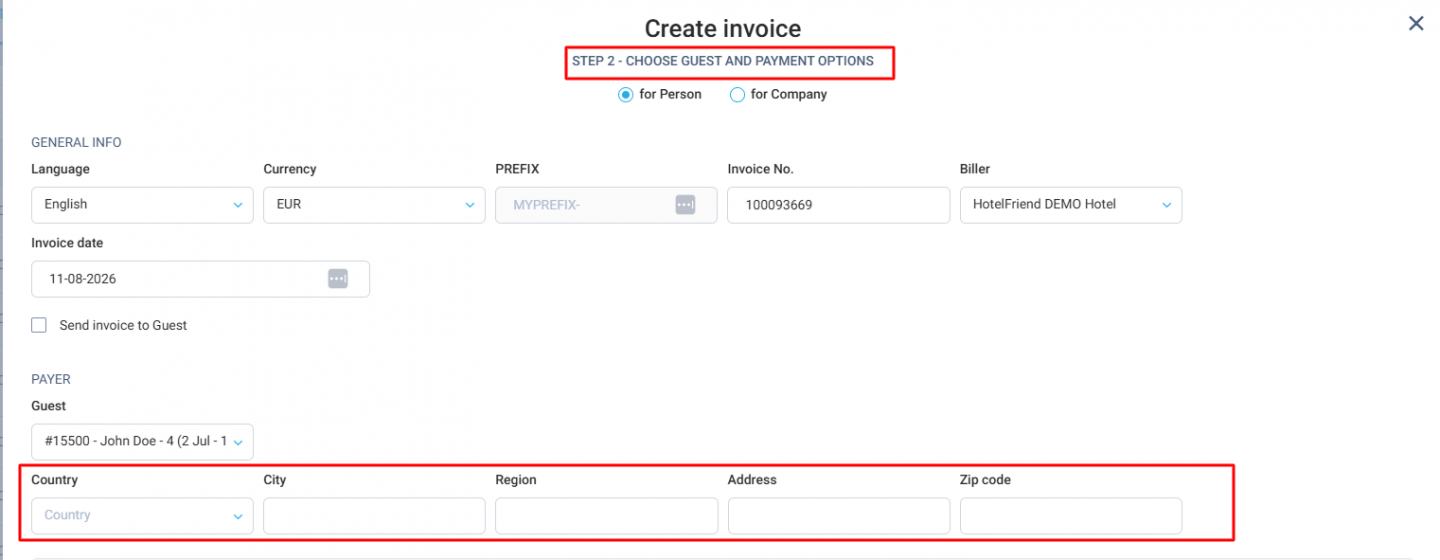
Hoteliers save time and avoid workflow interruptions during a task they perform constantly.
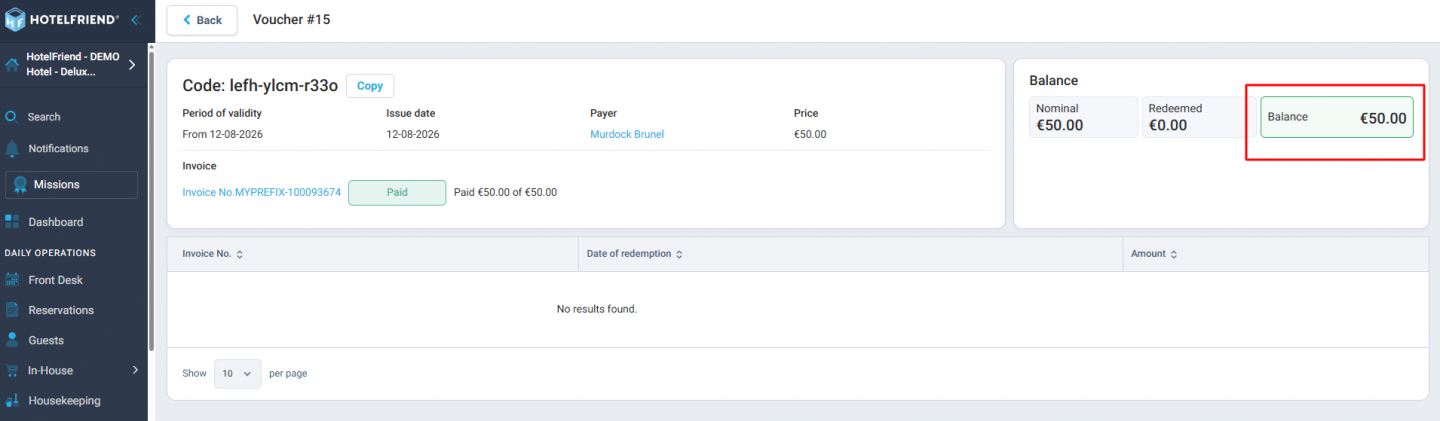
Voucher sale invoices now respect the payment method.
- ● Voucher invoices are no longer automatically marked as paid on purchase.
- ● Invoice status now reflects the selected payment method.

- ● The voucher remains "Not active" until payment is received, preventing hoteliers from issuing a usable voucher before the funds arrive.
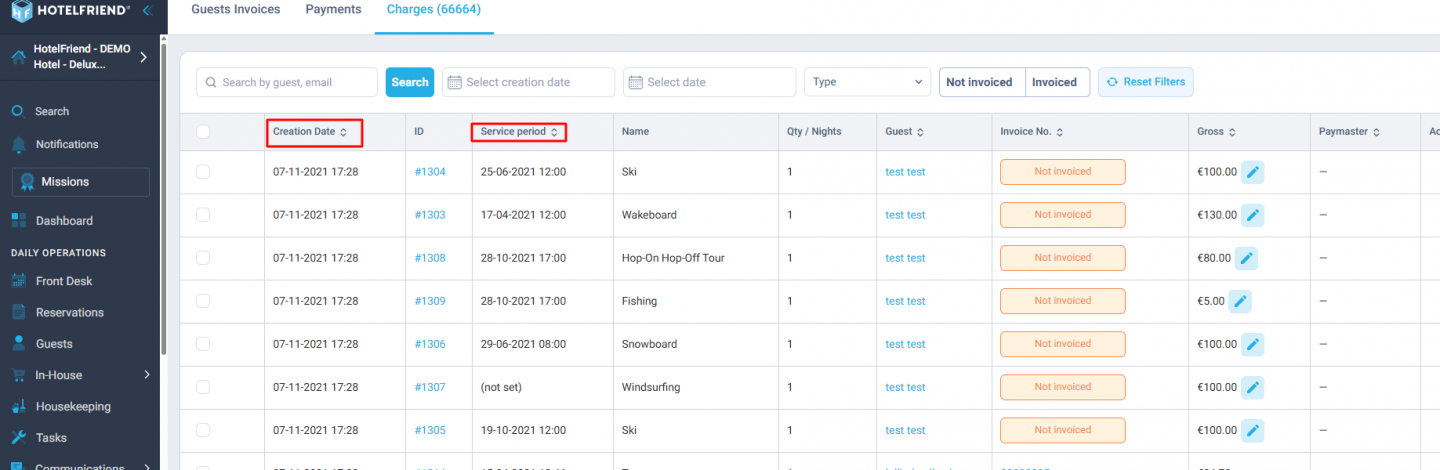
You can sort and filter charges by date:
- ● The Charges tab now supports sorting by service date.
- ● It also supports filtering by service date.
- ● This makes it easy to quickly spot "Not invoiced" charges left over from previous periods.
These Accounting module updates give hoteliers tighter, more trustworthy financial workflows: editing addresses inline saves time on a routine task, payment-linked voucher status prevents handing out unpaid vouchers, and date-based charge sorting makes it easy to catch unbilled charges before they slip through.
3. Reservations & Front Desk
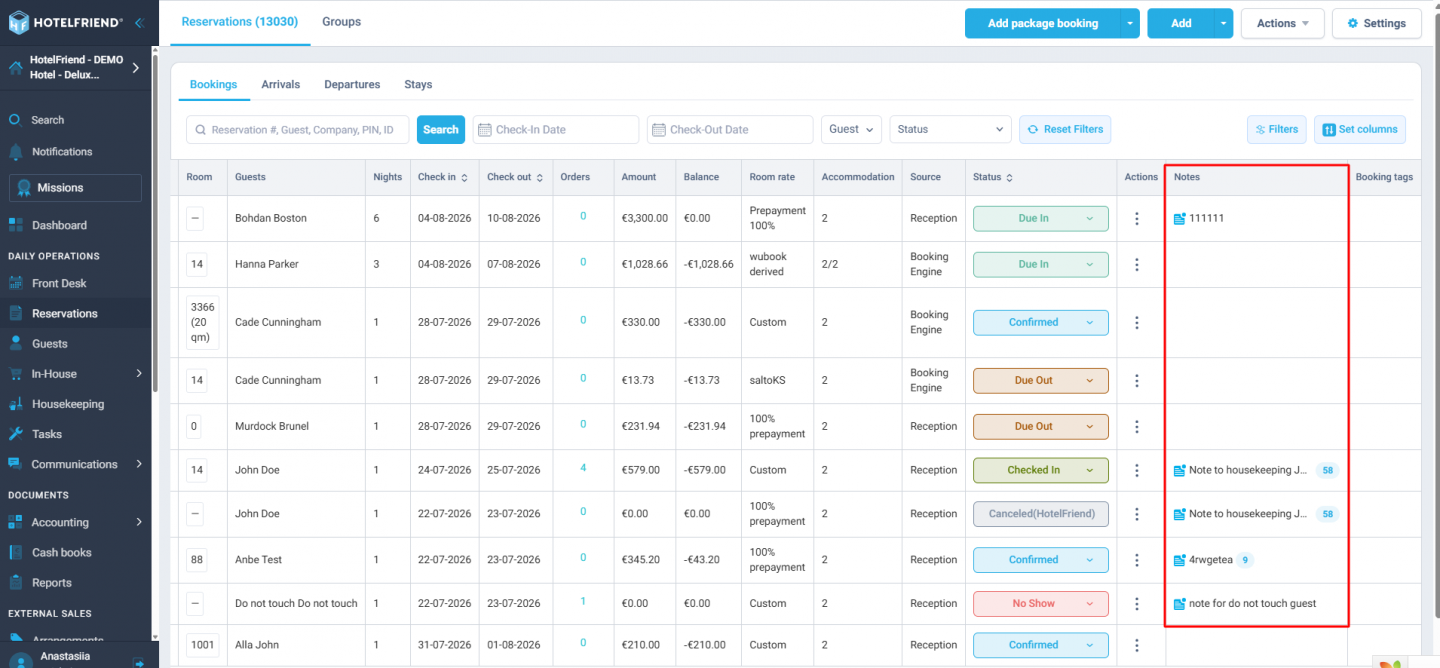
See guest notes directly in the Reservation grid with a new opt-in Notes column:
- ● Notes are shown in the grid, with a count badge when there's more than one
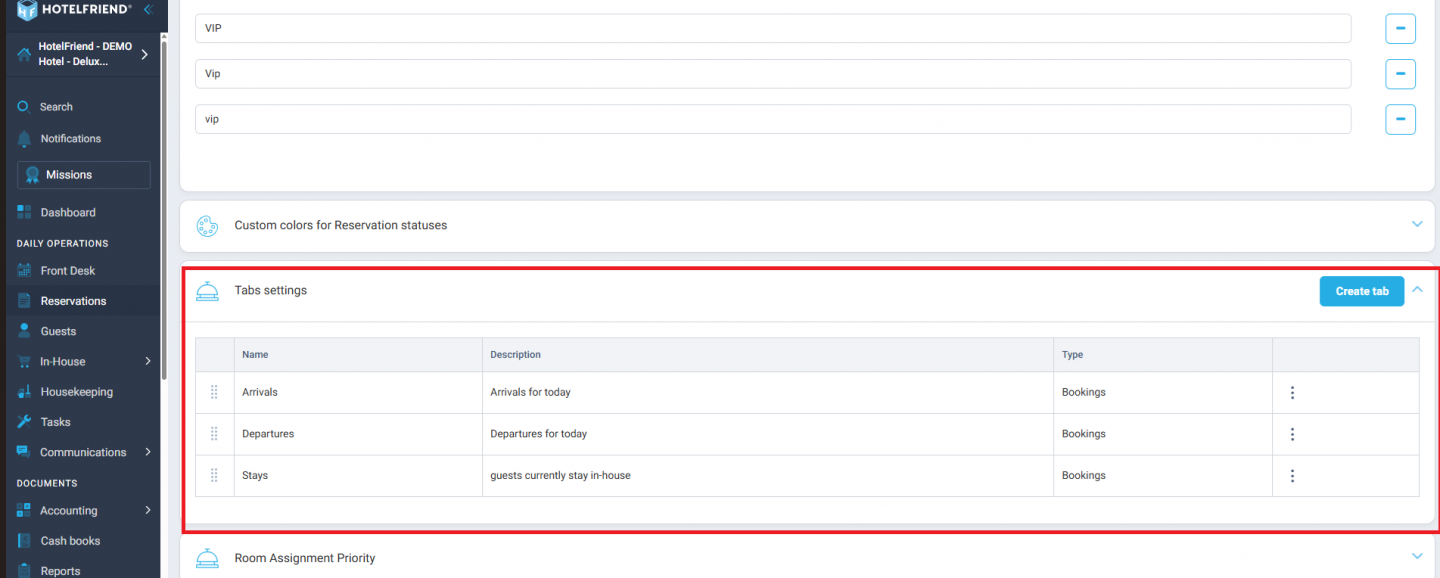
Staff get critical guest information at a glance, speeding up front desk operations during busy periods.
Visual refinement for the custom Reservation views has been introduced as well:
- ● Cleaner sub-tab layout and better row placement on the Edit tab
Hoteliers get a cleaner, more intuitive workspace that speeds up daily reservation management.
Track daily notes at a glance with a new note counter on the Front Desk day modal:
- ● Shows how many notes exist for the day from all sources
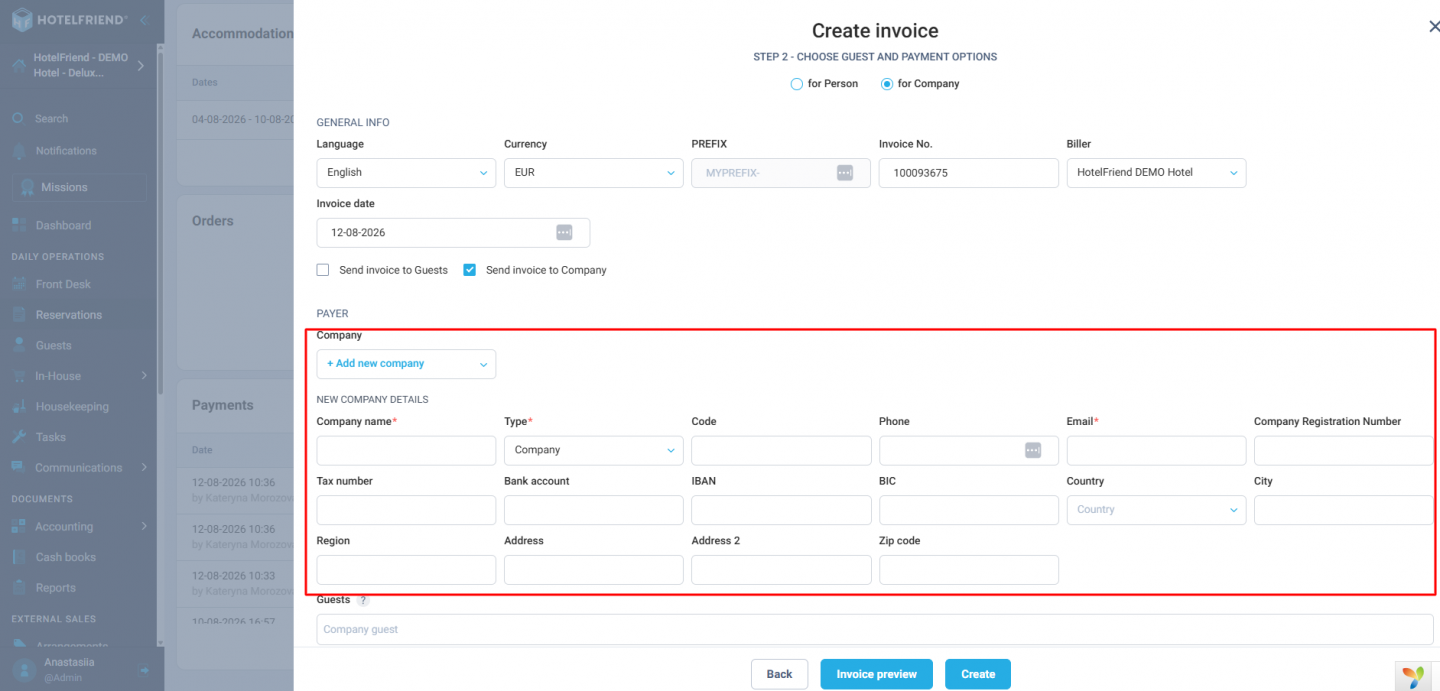
Hoteliers never miss important notes, reducing the risk of overlooked guest requests or operational issues.
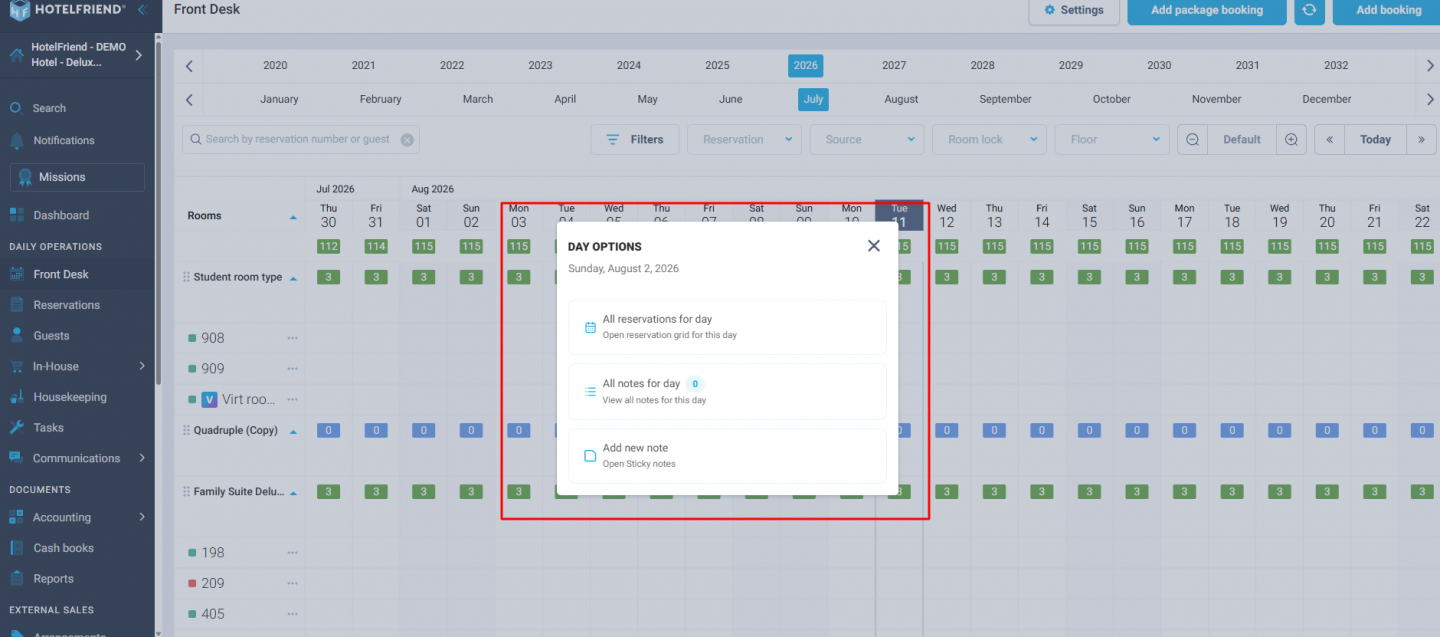
Create a company card without leaving the flow. We now offer two ways to add a new company profile without pausing your work:
- ● Directly from the Change Payer modal during a reservation
- ● Right on Step 2 of invoice creation
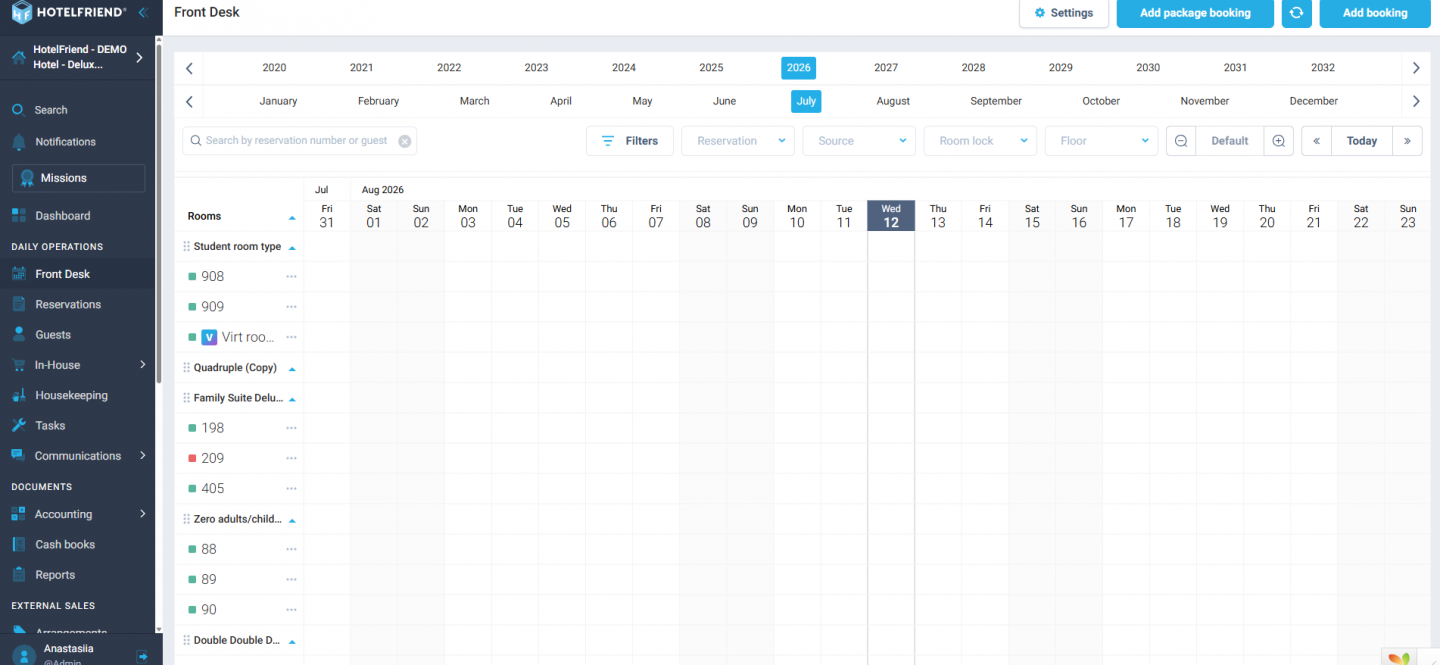
You can also show or hide the availability rows on the Front Desk:
- ● A new "Availability Row Display" setting in Front Desk gives hoteliers the option to hide the green availability rows.
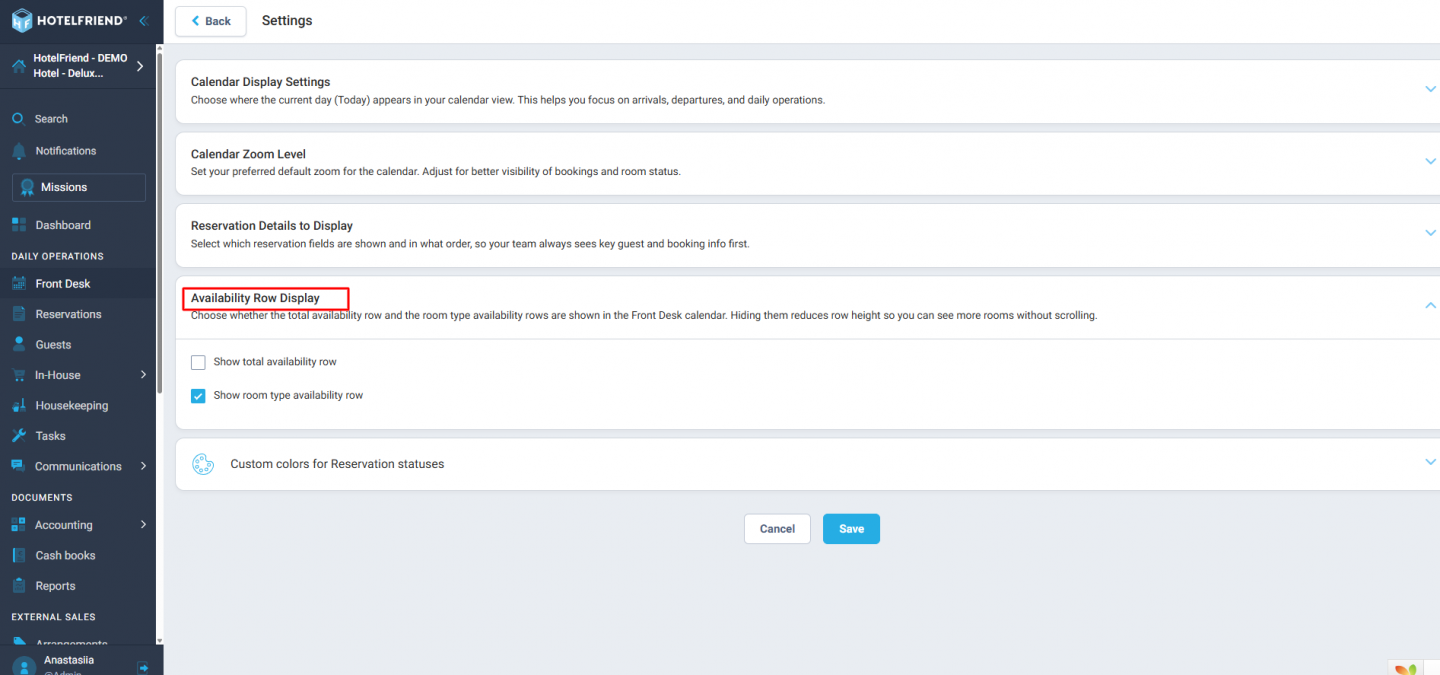
The total availability row and room type availability row can be toggled independently, handy for properties with many room categories but few rooms each.
"Not found" state in Front Desk search became clearer.
- ● Front-desk search now shows a clean, clearly styled "Not found" message when there are no results.
- ● This replaces the previous empty or broken-looking screen.
This gives hoteliers instant confidence that the search actually ran and simply found nothing, rather than leaving them wondering if something went wrong.
Together, these Reservations & Front Desk updates reduce the mental overhead of daily operations by surfacing guest notes at a glance, streamlining company and invoice creation, and giving hoteliers control over what clutters the screen. The result is a faster, more reliable front desk where staff spend less time hunting for information and more time serving guests.
4. In House: Events, Orders & Services
Guests of an event are now listed in consistent, predictable alphabetical order:
- ● Applies to both the event General tab and the Edit Participants modal
Hoteliers can manage large guest lists faster and with fewer errors.
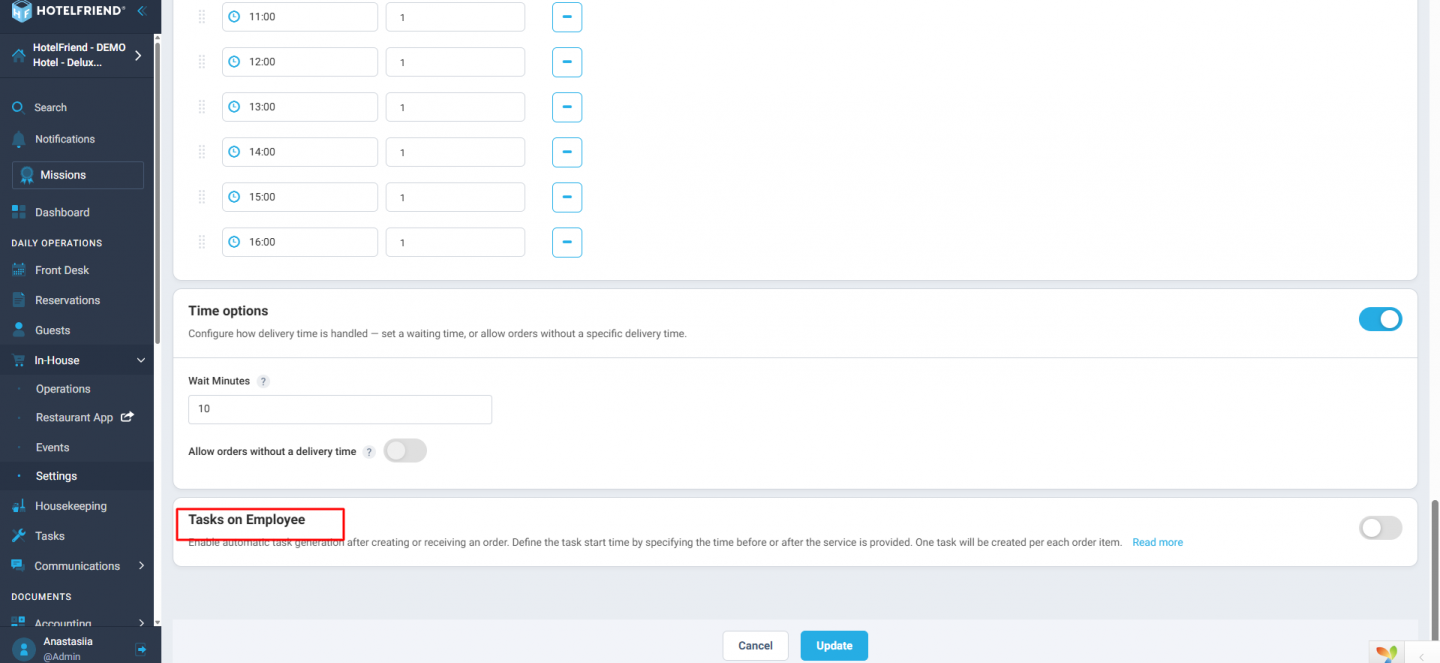
Clearer explanations for automatic tasks on services, in the Service → Tasks on Employee section:
- ● Updated field texts explain that one task is created per order item, with a "Read more" link to the how-to article
Staff spend less time confused about task creation, reducing unnecessary support tickets.
These updates reduce friction in day-to-day event and service management: alphabetised guest lists make large events faster and less error-prone to manage, while clearer task-creation explanations mean staff can self-serve instead of getting stuck or filing support tickets over a workflow that should be self-explanatory.
5. Reports
The Occupancy % chart in the Dashboard Occupancy report now stays legible for long date ranges:
- ● Bars and labels remain readable for 3+ month ranges through vertical scrolling, instead of squeezing everything together
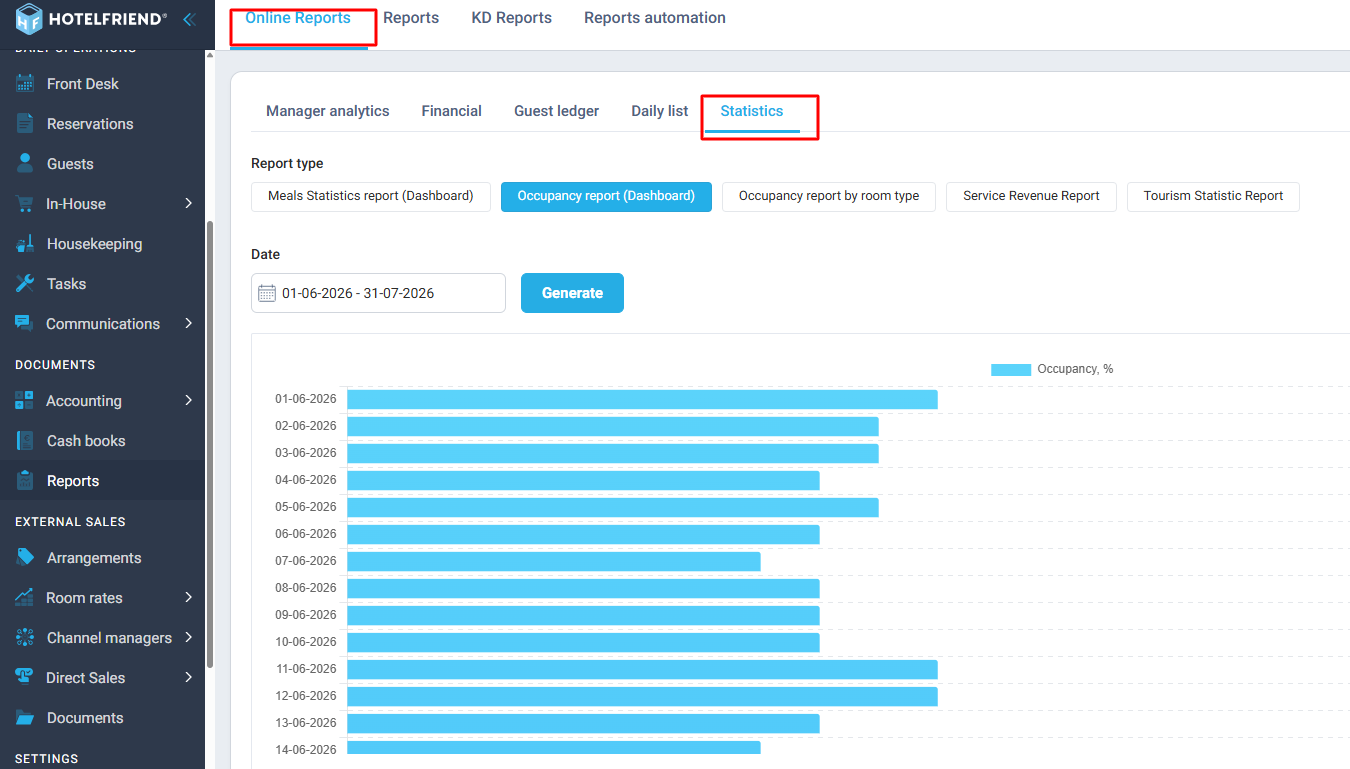
This is good for hoteliers because they can actually read and act on long-range occupancy trends, like a full quarter or season. Previously, compressed and overlapping bars made it hard to spot patterns or make informed pricing and staffing decisions.
6. Communication
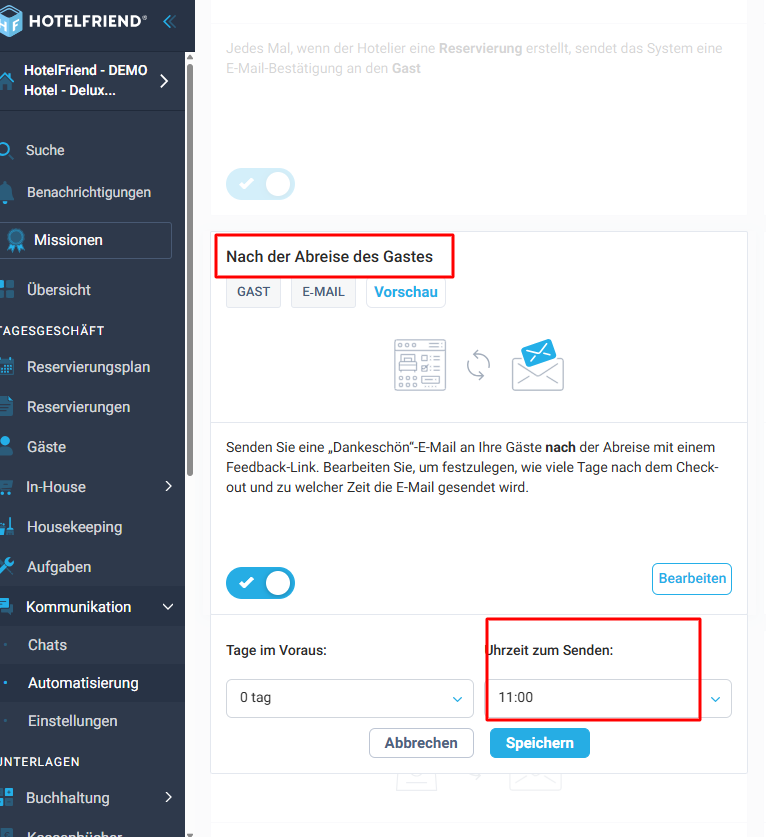
We've cleaned up how automation send times are displayed, so the timing is always clear at a glance.
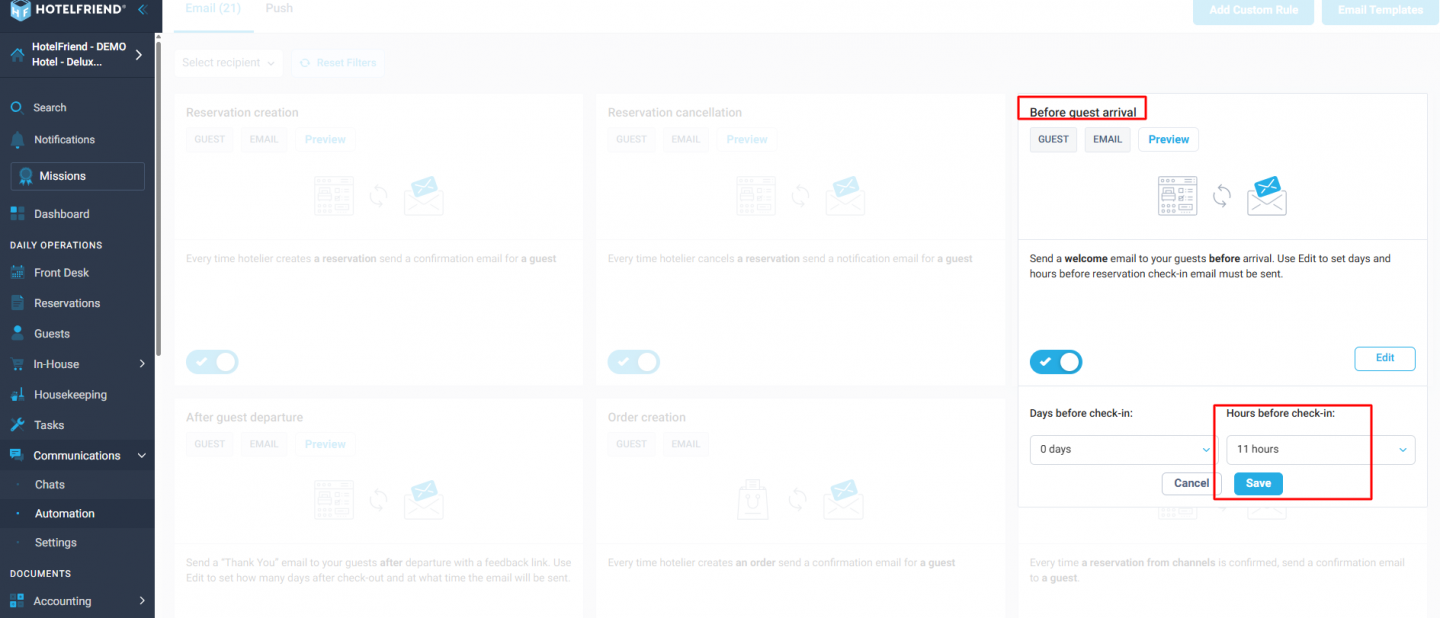
- ● Configured send times now display in a proper time format (e.g. "11 AM" / "11:00 Uhr") instead of a confusing duration like "11 hours" for the After Guest Departure and Birthday Email automations.
- ● The Before Guest Arrival, Self Check-In, Self Check-Out, and Booking Offer Reminder automations now show timing relative to the event (days/hours before), instead of a time of day to send.
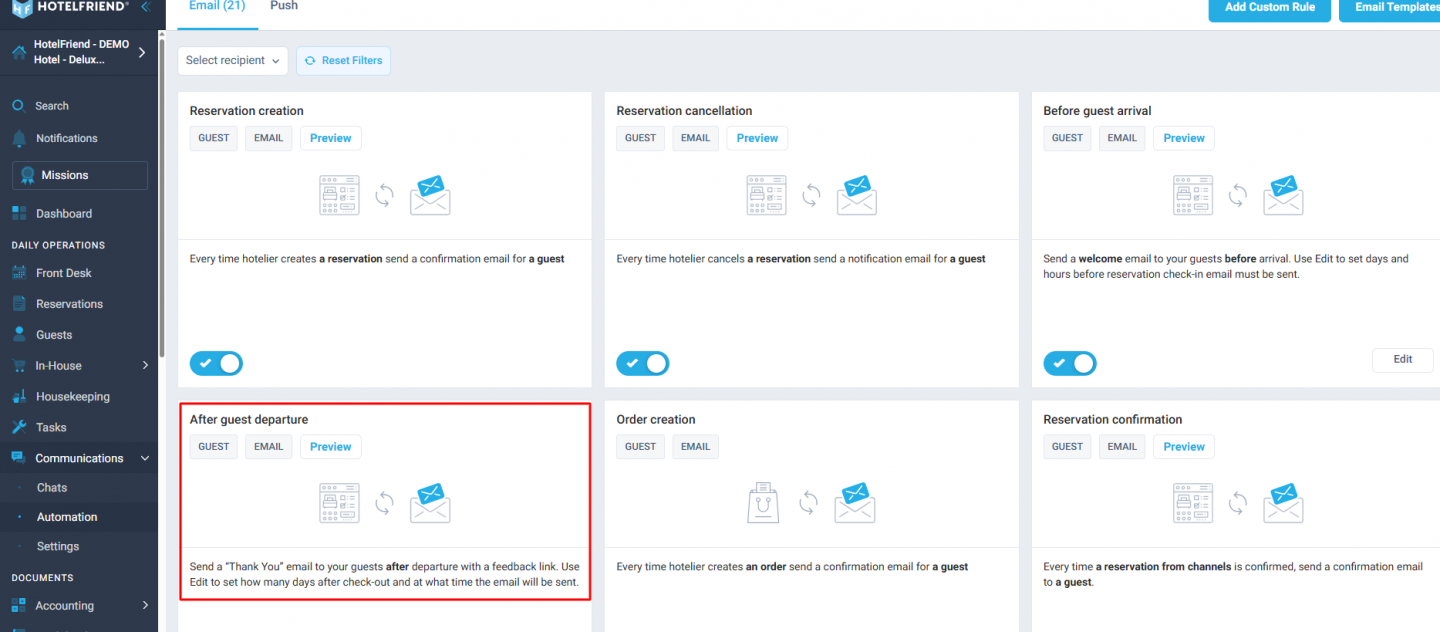
Clearer, correctly framed send times let hoteliers trust their automations at a glance and catch misconfigured messages before they reach guests.
With the v4.34 + v4.35 Product Updates, hoteliers get a booking experience that matches what guests actually pay and financial workflows they can trust without double-checking. They also get a front-desk, event, and reporting toolkit that surfaces the right information at the right moment, and communications whose timing is finally clear at a glance rather than left to guesswork.
