
Product Update v4.33 brings three improvements: control over the order of room assignments, a formal lifecycle for managing events, and downloadable meal statistics reports. Each feature is designed to save time and give hoteliers more control over daily operations.
1. Room Assignment Priority - control room order for automatic assignment
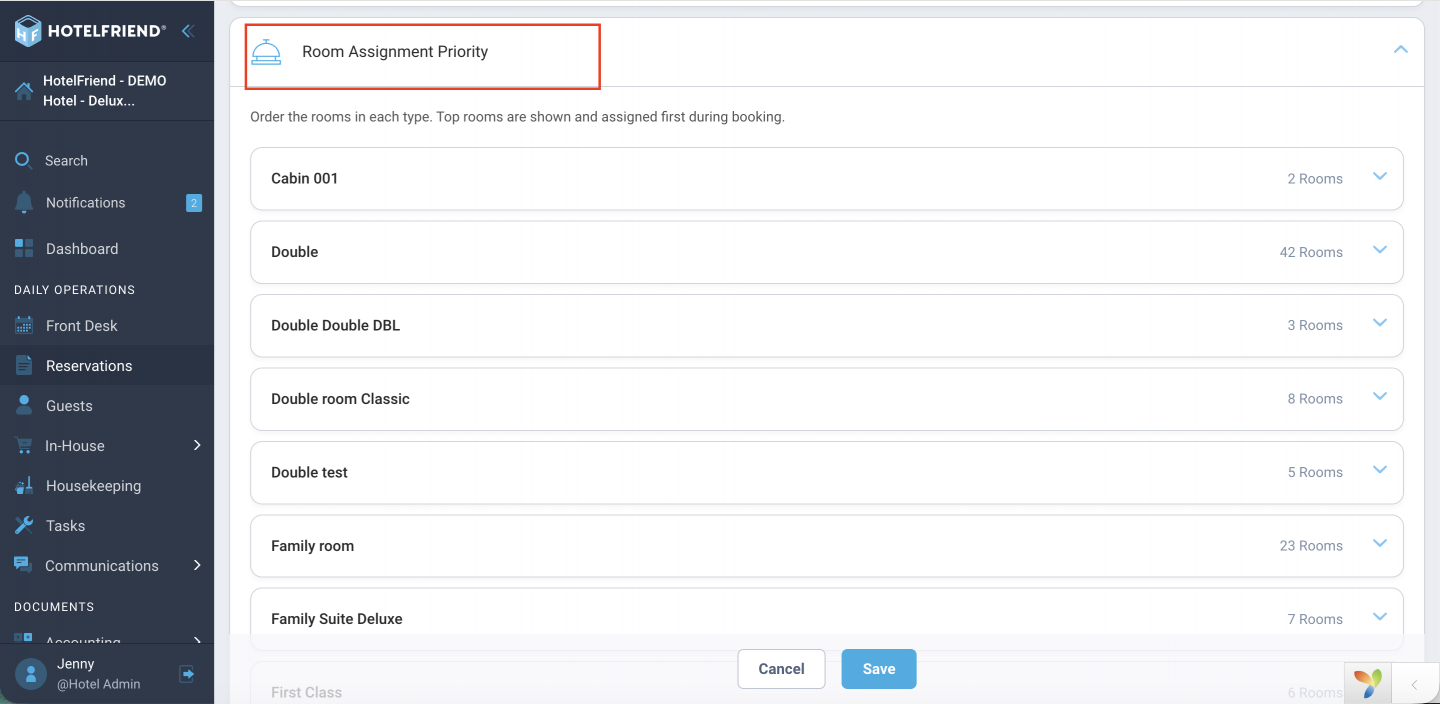
Set room pick order for automatic assignment, per room type, via drag-and-drop in Reservation settings:
- ● Drag and drop to set room order per room type
- ● Applies to group bookings and guest-list imports
- ● Default sorting is ascending (1-9, A-Z), fully customizable
In the past, there was no way for large properties to manage room order. It made it challenging for front desk staff to quickly find a specific room in the selection dropdown. This inefficiency hampered daily operations, especially during busy times when speed was of the essence. To help combat this ongoing problem, we developed the Room Assignment Priority feature. Hoteliers can set their preferred room order once, and then staff can always find and assign the right room more efficiently, every time, without having to do anything more.
2. Event Statuses - a clear lifecycle for managing events from draft to live
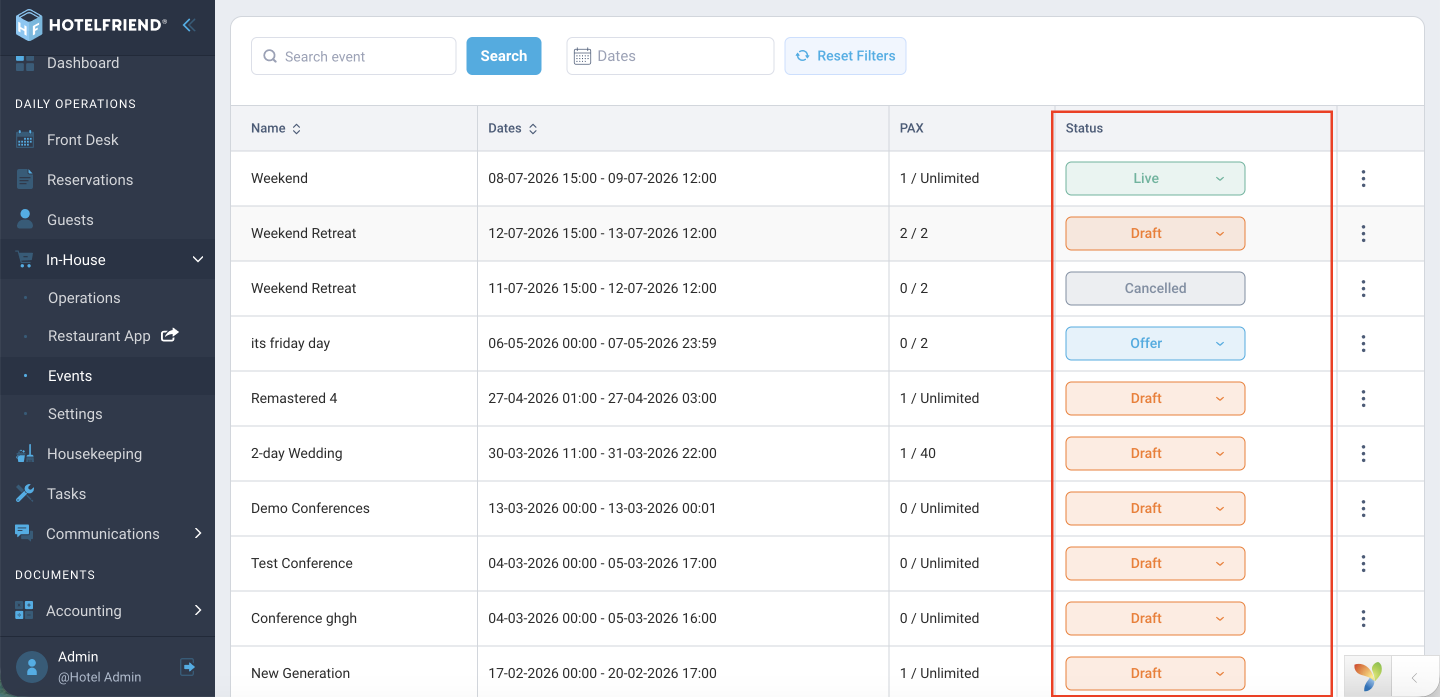
Events now have a formal lifecycle in In-House settings, with a new Event statuses feature:
- ● Draft - default on creation; fully editable, not published, no reservations yet
- ● Live - published and read-only until reverted to Draft
- ● Offer - for sending event offers to clients (send-offer action coming as a follow-up feature)
- ● Cancel - final, irreversible; shows a summary of related tasks and reservations
There was no official difference between an ongoing event and one that was confirmed and locked in. This left live, confirmed events open to accidental edits that could mess up planning. That’s where the new Event statuses feature comes in. It lets hoteliers move an event through a defined lifecycle, from beginning to end. Now, to edit a Live event, you first have to return it to Draft mode. This protects confirmed events and makes the offer flow completely explicit. If you decide to cancel an event, you will also see a detailed summary of the tasks and reservations associated with it.
3. Meals Statistics report - download meal data from the dashboard
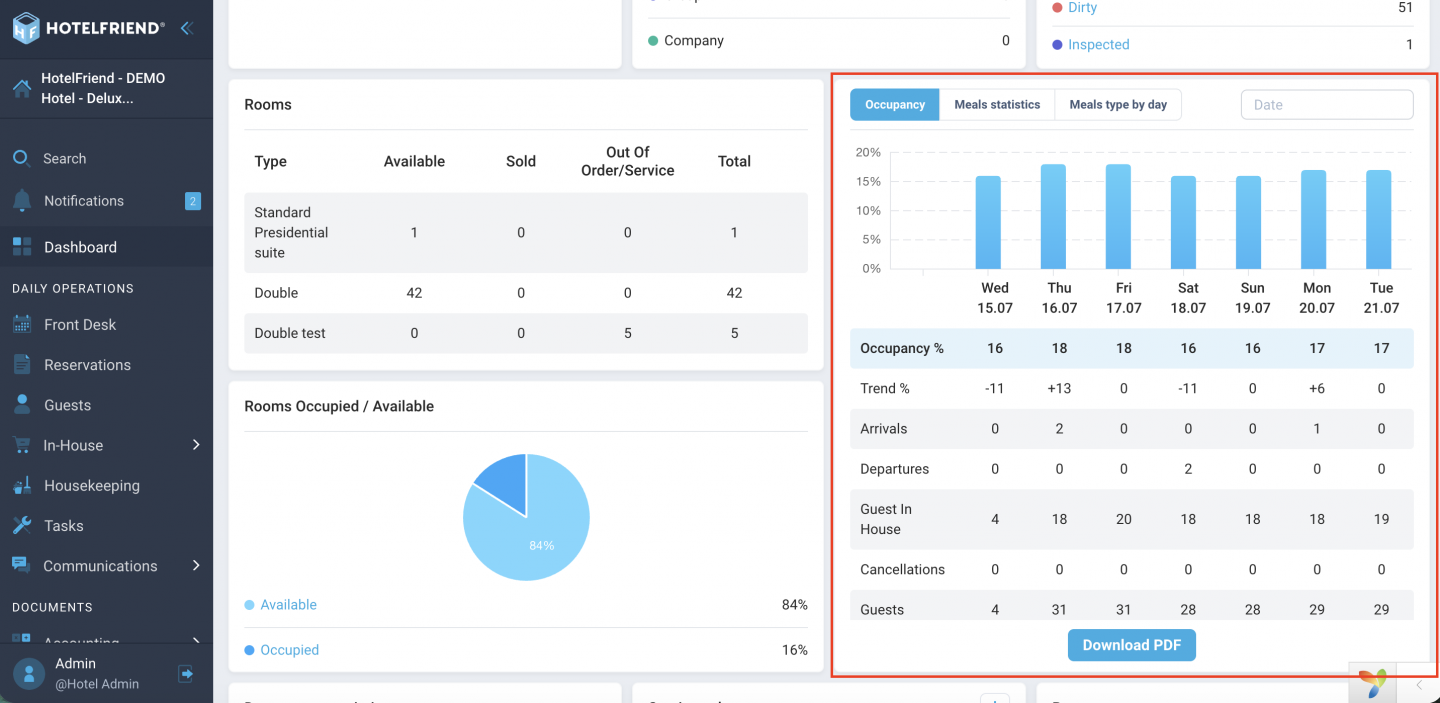
A downloadable Meals Statistics report is now available in Report settings:
- ● Download as a PDF directly from the Dashboard Meals widget
- ● Saved and accessible for later reference
Previously, this data was only available as a dashboard widget, with no way to save or reference it later. It made it hard to track trends or share figures with other team members over time. The Meals Statistics report solves this: it allows hoteliers to download the data as a PDF whenever needed and keep a running history of reports for later reference, review, comparison, or reporting purposes, making it easier to stay organized across different periods.
Also in this release:
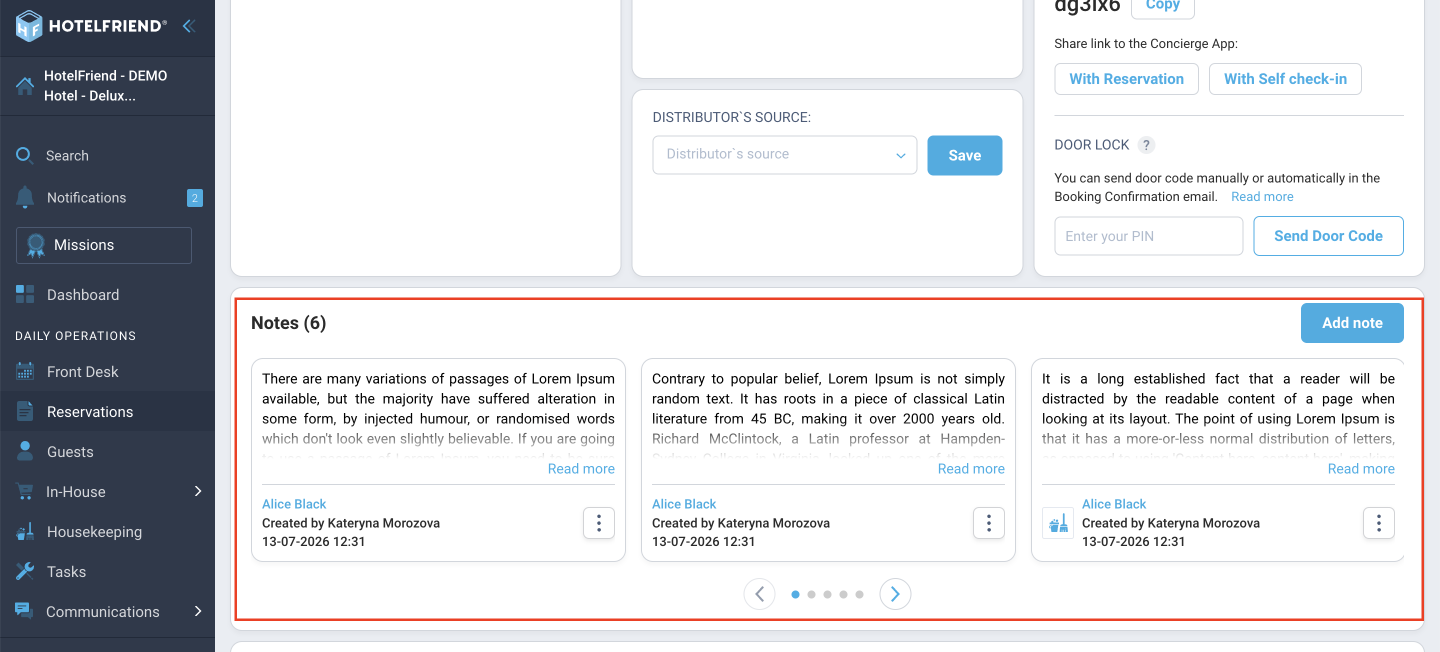
● Improved Notes in the reservation card - a clearer layout makes reservation details easier to scan. The Notes field is now shown directly within the reservation details, rather than tucked away in a modal. Additionally, if a tag used in a booking is later deleted from Reservation settings, it will still appear as a deleted tag, so nothing is silently lost from the record.
● Reservation tags layout - Tags are now displayed more clearly across the reservation card, front desk, and guest card views. If there are lots of tags, there’s a dedicated scrollable list to keep them organized and easy to browse. This was an area formerly without scroll functionality, so this update will ensure that bookings remain clear even with heavy tagging.
● Kitchen Plan - meals are now visible from the moment of booking, not just after check-in. By popular request, the Kitchen Plan feature now includes meals from reservations in both New and Confirmed status, allowing hoteliers to plan further in advance rather than on a day-to-day basis.
In v4.33 Product Update, hoteliers have complete control over the order of room assignments, a clear event lifecycle from draft to live, and downloadable meal data that can be kept on record. These updates make day-to-day operations more efficient, speed up room assignments during peak times, prevent accidental edits to confirmed events, and enable meal planning well in advance of check-in.
Minor enhancements to notes, tags, and the Kitchen Plan support the same objective: nothing is lost or overwritten in silence, and hoteliers always have access to the information they need. This release reflects direct feedback from properties using the system daily, and we'll keep refining these features, including the upcoming send-offer action for events, based on real-world use.
