
Product Updates v4.26: Occupancy Insights, Event Planning Enhancements, Lightspeed POS Improvements, and Streamlined Reservations
Explore Product Update v4.26 with occupancy insights, enhanced event planning, Lightspeed POS improvements, and streamlined reservation workflows.
Mar 24, 2026 9:26 AM
This time we focus on important reports, event and reservation management, and POS integration to streamline hotel operations, and improve decision-making.
1. Occupancy Report for Smarter Forecasting and Planni
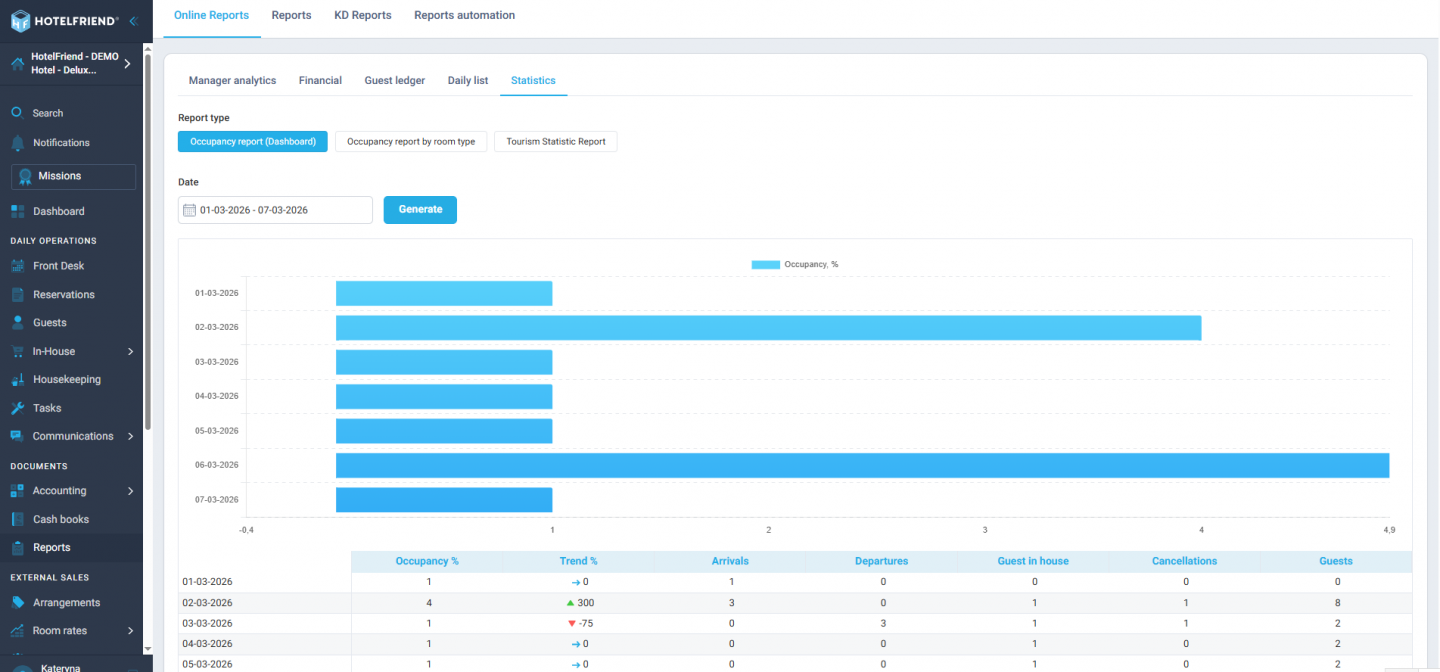
We’ve introduced a new Occupancy Report that gives hotels a clear overview of occupancy rates and meal statistics, including occupancy, meal count by type, and meal type by day. Designed for forecasting and operational planning, this report contains no personal guest data, making it easy to share with management. Access it directly from the Dashboard or via the Reports section in the menu.
2. UI Improvements for Kitchen Plan report
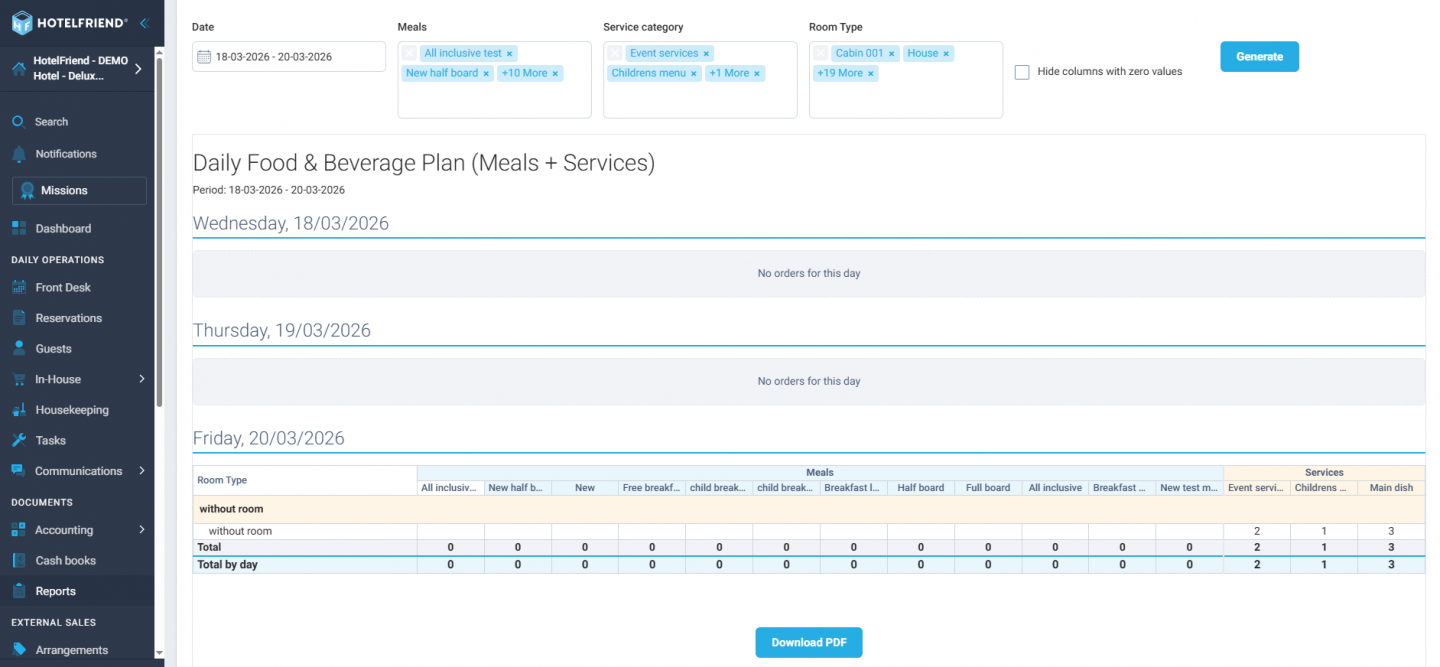
The Kitchen Plan report has been redesigned to provide clearer insights and easier navigation. Meals and Services columns now have better visual separation, totals and subtotals are cleaner and easier to read, and the report displays gracefully even when no data is available. This update helps kitchen and operations teams plan more efficiently and reduce errors.
3. Event Management Enhancements
● Event Types Make Event Setup and Coordination Easier
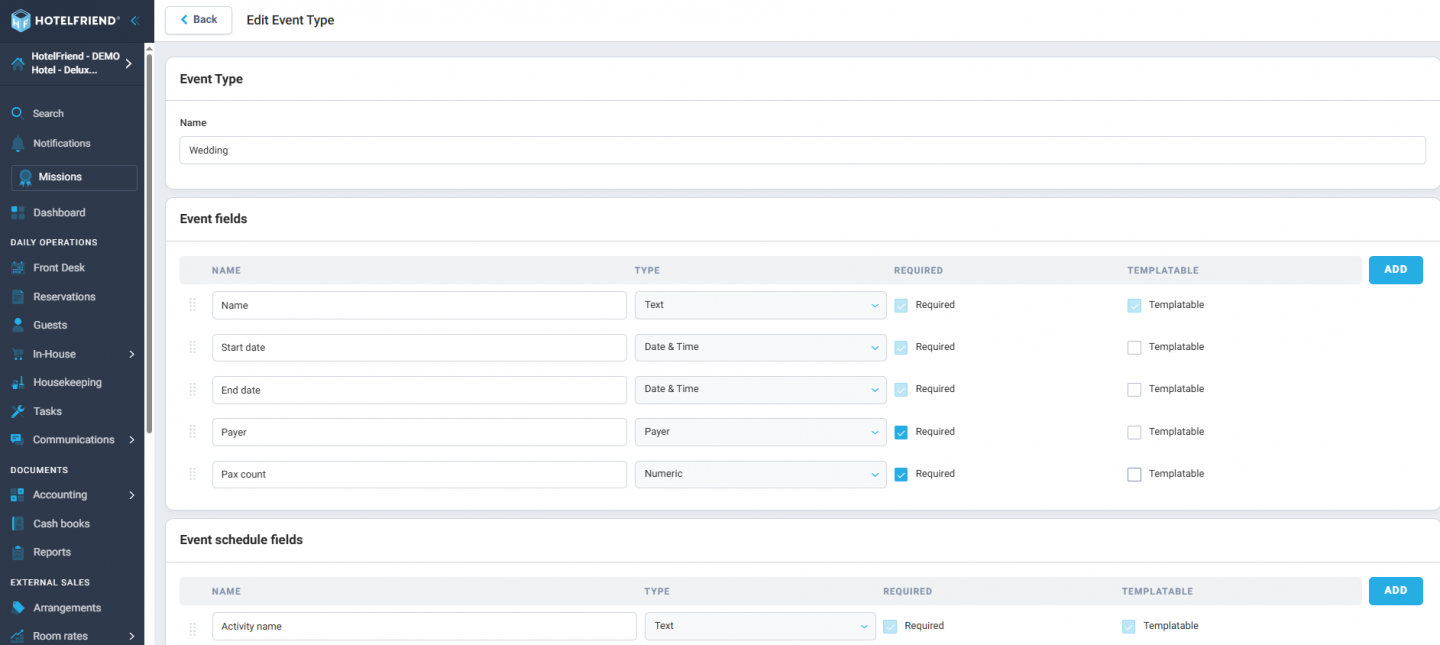
Hotels can now define multiple event types, such as Conference, Wedding, or Workshop, each with its own fields, schedule columns, and modules. Different event categories now look and behave differently, allowing hoteliers to tailor each type of event. Once created, event types can be reused for future events, saving setup time.
● Event Templates for Faster Event Setup
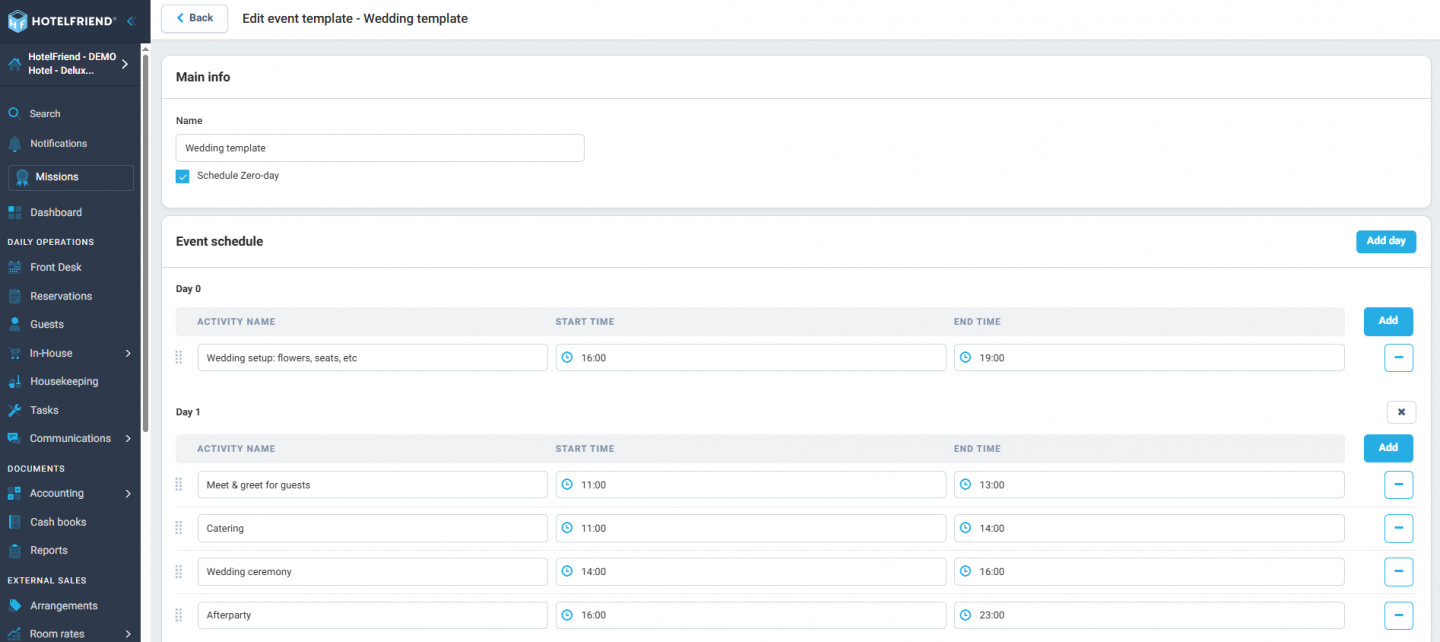
Create reusable templates with predefined activities, tasks, orders, and field values. When a new event is created from a template, all content is pre-filled, saving time on recurring or similar events and helping your team stay organized and efficient.
4. LightSpeed POS K-Series: V2 authentication Integration
We have completed the migration from V1 to V2 authentication, ensuring your Lightspeed POS integration continues to work seamlessly.
This migration is important because it:
● Continued Integration
Lightspeed is phasing out V1, so without migration, your POS integration could stop working, disrupting order sync, billing, and reporting.
● Enhanced Security
V2 authentication uses modern security protocols to protect data, reducing the risk of unauthorized access or breaches.
● Improved Reliability
V2 supports stable and consistent connections, minimizing errors in order transfer or payment processing.
● Access to New Features
V2 enables advanced functionality that V1 doesn’t support, like fractional order quantities, tokenized payments, and better reporting.
5. Company Invoice Payments
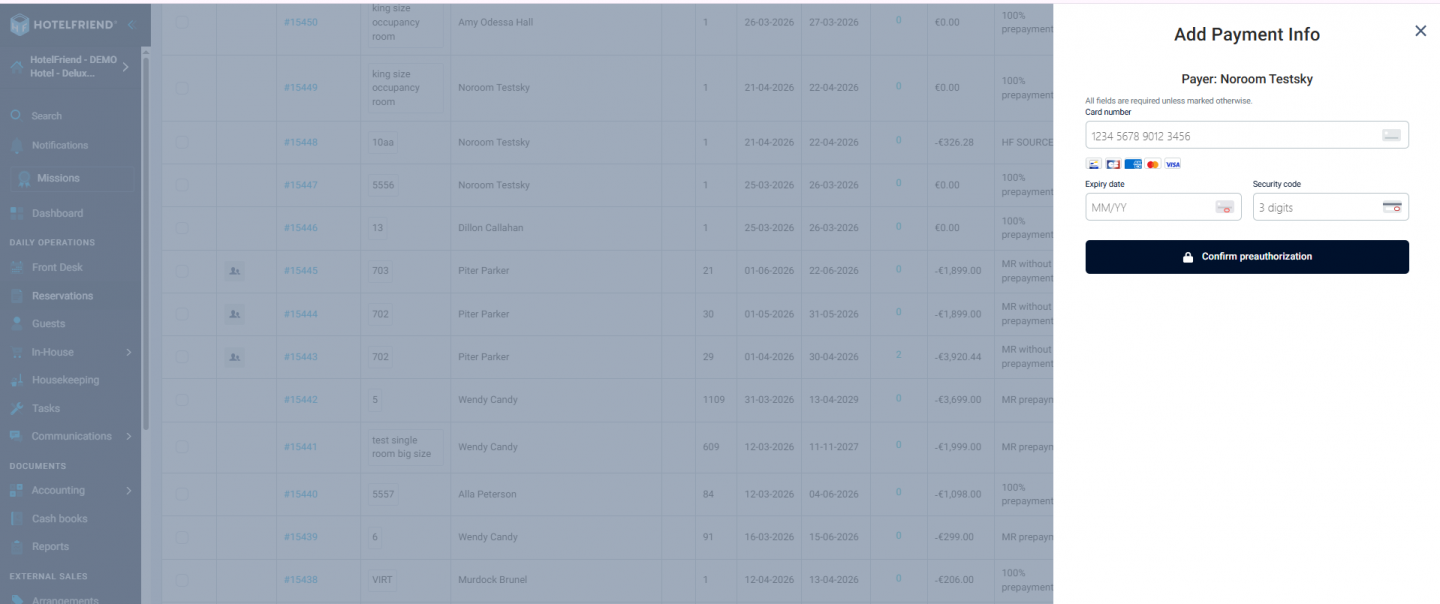
Tokenized cards can now be used for company invoice payments via HotelFriend Payments, enabling secure, faster, and fully digital transactions. This reduces manual processing, minimizes payment delays, and simplifies billing for corporate clients by allowing easy reuse of saved payment methods without exposing sensitive card data.
6. Room Rates Managing via Channel Manager Integration
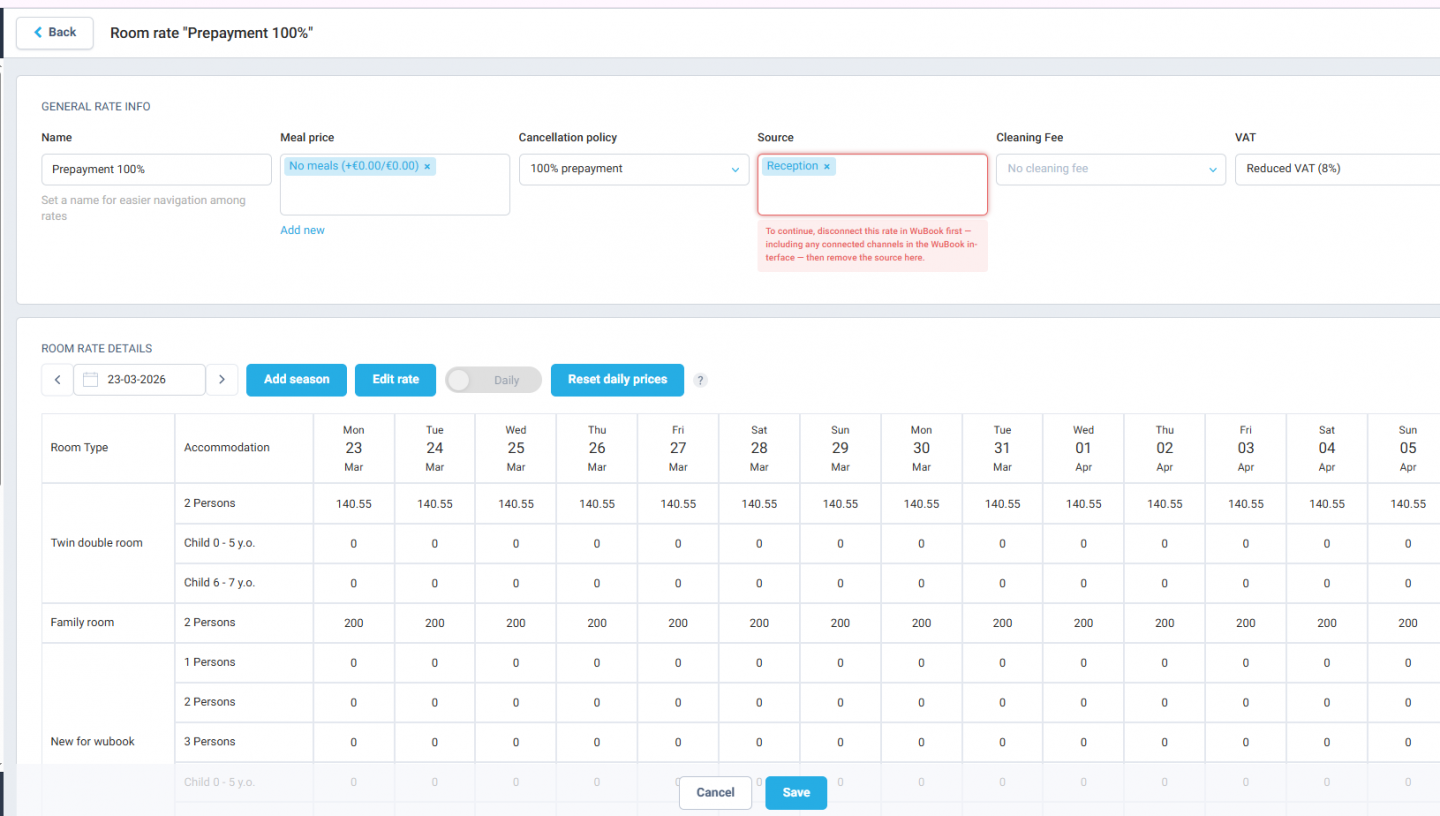
When attempting to remove a channel manager source from a room rate that is still mapped in Channex or WuBook, the system now displays a clear message: “Disconnect from Channel Manager first.” Once the channel manager is disconnected, you can safely adjust and update your rates without restrictions.
7. Reservations & Guests
● Effortless Same-Day Additions
Hoteliers can now add additional guests for today’s date without any issues, with the selection working instantly. This enhancement removes friction from the booking process, enabling teams to finalize reservations faster, reduce errors, and ensure accurate guest information every time.
● Guest reservations
The separate “Save” button has been removed, and guest information is now saved automatically when confirming a booking. This ensures a smoother, error-free workflow, reduces manual steps, and eliminates the risk of lost data.
● Guest Notes
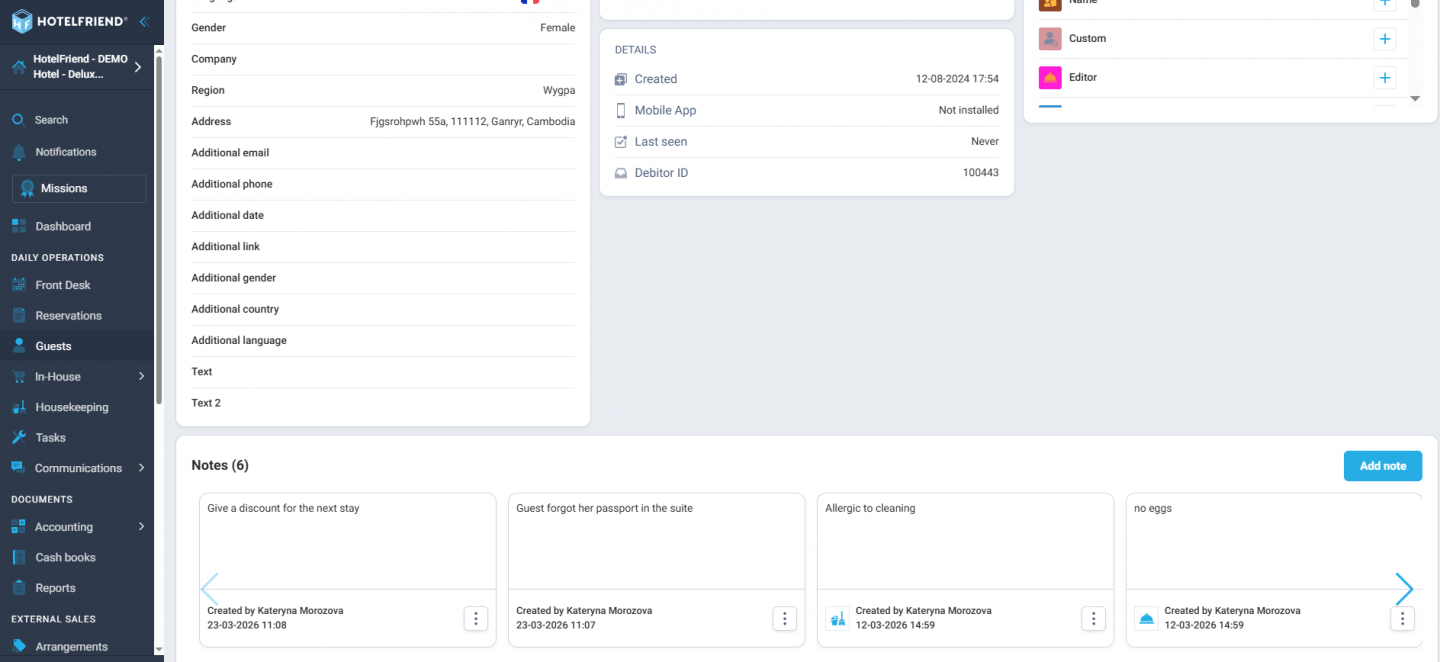
Guest notes now behave consistently across all entry points, including the Guest card, Add Booking, Booking Engine, fast check-in, Shopping Cart, Service, or Guest App. No more inconsistencies — the experience is the same everywhere.
8. Security Control with Restricted File Access
Users without the “Manage hotel documents files” permission could previously access files via direct URL. Access is now fully restricted, ensuring stronger data protection, proper permission enforcement, and improved security compliance.
9. UI improvements for Booking Engine PRO
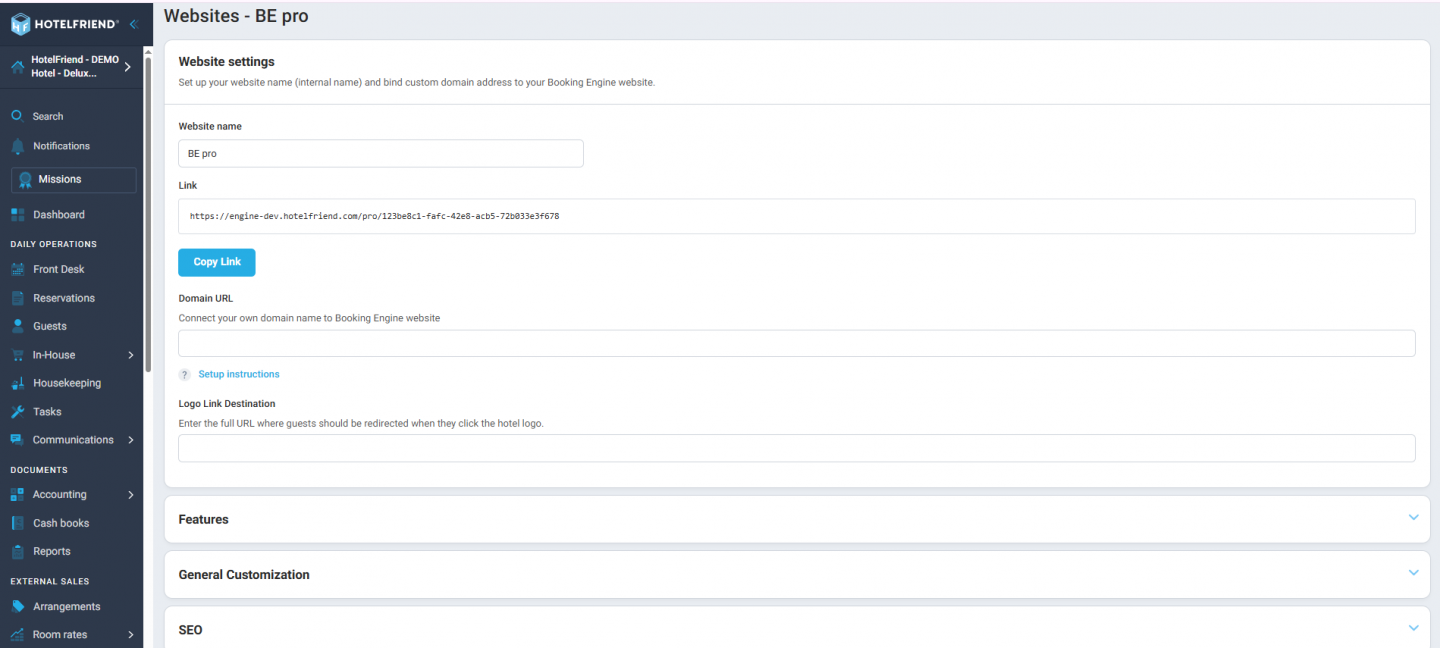
Settings blocks in BE Pro can now be collapsed and expanded, reducing scrolling and making it quicker and easier to find the options you need. This UI improvement enhances usability and streamlines configuration for hotel staff.
With version 4.26, we make hotel management easier and smarter: The new Occupancy Report provides clear insights for forecasting and planning, while the redesigned Kitchen Plan and UI improvements in Bookingsystem PRO simplify daily operations. Event types and event templates save time in planning and coordinating events. The LightSpeed POS V2 integration ensures higher security, stable connections, and new features. Additionally, tokenized company payments enable fast, digital transactions, room rates are easier to manage via Channel Manager, and reservations & guest information are handled automatically.
Learn more about the System Explore Pricing
