What separates a chaotic hotel from a smoothly running one usually comes down to a single system tying everything together - reservations, front desk, housekeeping, billing, and reporting operating as one unit instead of a patchwork of disconnected tools. The numbers back this up: hoteliers using a PMS get back 2 to 10+ hours of staff time each week, according to 89% of respondents in the HotelTechReport 2026 PMS Impact Study.
This practical guide explains what a PMS is, how it differs from Booking Engine and Channel Manager, and how cloud, on-premise and hybrid systems compare. It also offers real hotel feedback and a daily checklist for evaluating suppliers, not on sales claims.
What Is a Hotel PMS? Explained Simply
Hotel Property Management System (PMS) is software for managing the day-to-day operation of a hotel. It combines reservations, check-in and check-out, room assignments, billing and housekeeping status into one platform, replacing the paper logs and spreadsheets hotels used to rely on.
It provides all departments with the same live information, reduces manual work and synchronizes reservations, room status, payments and guest data. Most platforms today are cloud-based and connect with channel managers, booking engines, point-of-sale systems and payment gateways. The right hotel PMS means smoother day-to-day operations, fewer mistakes, faster service and a better guest experience.
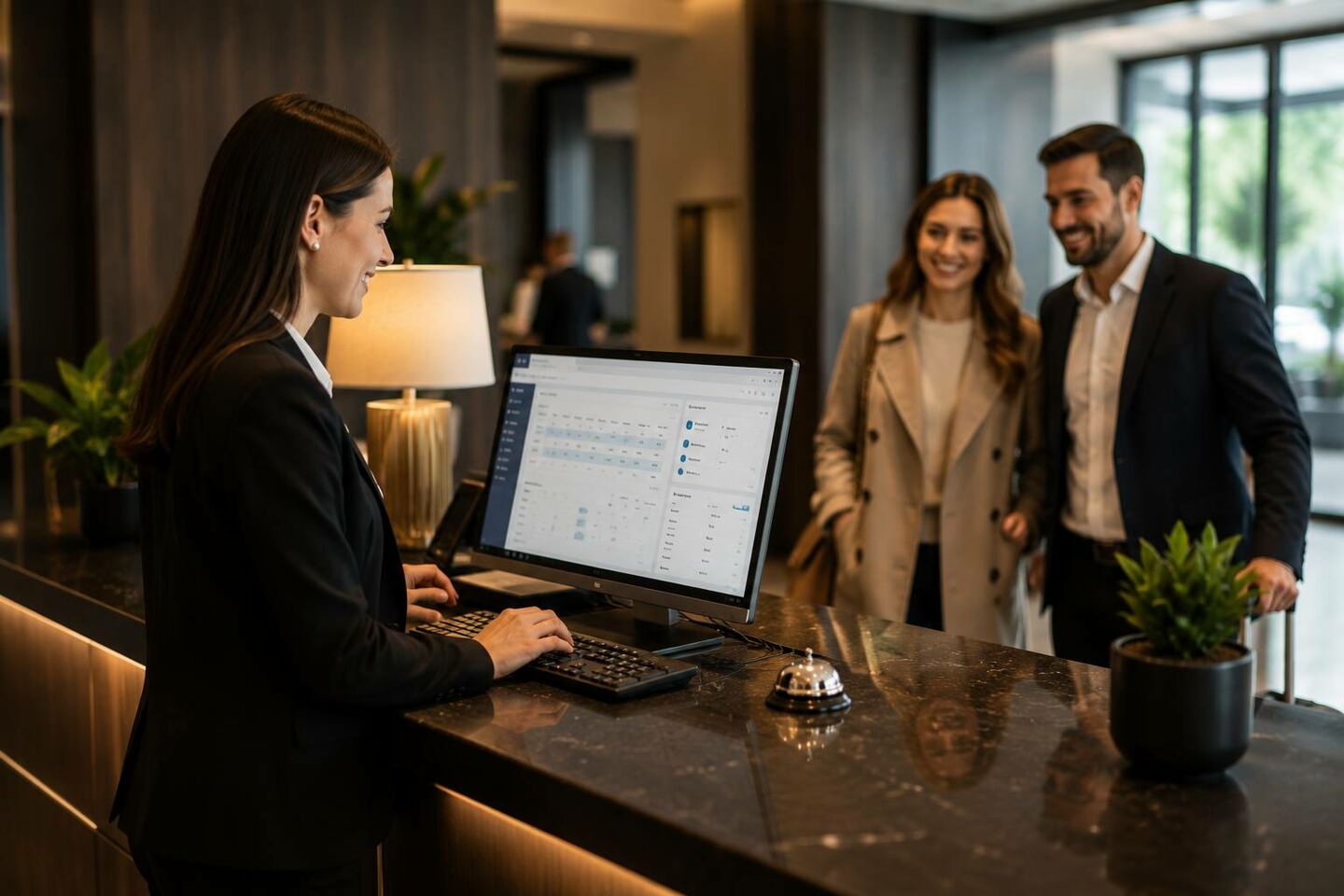
PMS vs Booking Engine vs Channel Manager
These three systems are all tied together, but each has a different function. PMS is the system of record, so it knows the actual real-time status of each room. Booking Engine takes direct reservations from the website and feeds them straight into the PMS.
Channel Manager pushes inventory to Booking.com, Expedia and other OTAs so when a sale is made on one, availability is instantly closed on the others. They create a loop – reservations in, PMS as single source of truth, availability out in real-time – and if you break any link you have overbooked rooms or mismatched rates.
PMS vs Booking Engine vs Channel Manager: Key Differences
|
Feature |
Property Management System (PMS) |
Booking Engine |
Channel Manager |
|
Primary purpose |
Manages hotel operations and reservation data |
Accepts direct bookings through the hotel website |
Distributes rates and inventory across external channels |
|
Main users |
Front desk, management, housekeeping, and other hotel teams |
Guests booking directly |
Revenue, reservations, and distribution teams |
|
Booking source |
Stores bookings from direct and third-party channels |
Hotel website |
OTAs and other connected distribution platforms |
|
Inventory management |
Maintains the hotel’s central room inventory |
Displays availability received from the PMS or channel manager |
Synchronizes availability across connected channels |
|
Rate management |
Stores and applies room rates and restrictions |
Shows direct rates and offers to website visitors |
Sends rates and restrictions to OTAs |
|
Guest management |
Stores profiles, stay history, preferences, and payment details |
Collects guest and booking information |
Usually transfers reservation details without managing full guest profiles |
|
Operational functions |
Check-in, check-out, room assignment, housekeeping, payments, and reporting |
Booking and payment flow on the website |
Distribution, mapping, and inventory updates |
|
Helps prevent overbooking |
Yes, when inventory is updated correctly |
Indirectly, through real-time integration |
Yes, by updating availability across channels |
|
Can work independently |
Yes, but integrations expand its capabilities |
Technically yes, although PMS integration is strongly recommended |
Technically yes, but it is more effective when connected to a PMS |
|
Best described as |
The hotel’s operational control center |
The hotel’s direct online sales tool |
The connection between the hotel and external booking channels |
What Does Hotel PMS Mean?
PMS lets you track the guest journey from booking to departure. It records reservations, supports room assignment based on live housekeeping data, adds charges to the folio, processes check-out, and notifies housekeeping of the room’s vacancy. All new data is pooled in a single database, accessible to all departments and linked to booking engines, channel managers, and payment systems. The same data drives occupancy, rate and revenue reporting, removing manual effort and enabling hoteliers to save hours each week.
The Front-Desk Workflow End-to-End
The PMS shows its full value once you follow a single guest through their stay, since it touches nearly every step along the way.
- ● Before arrival: The PMS records the booking, room type, special requests, and returning-guest history.
- ● At check-in: The staff confirm payment, assign a clean room, update its status, and provide a digital key or keycard.
- ● During the stay: The folio gets charges added; requests and complaints get logged in the guest profile.
- ● At check-out: The payment is processed, the folio is closed out, and housekeeping gets the signal to get the room ready.
- ● After departure: We still have your stay history, preferences, and billing information on file for you and future bookings.
Every one of these handoffs, such as reservation to check-in, stay to check-out, checkout and housekeeping, happens through the same system. That's what makes the PMS more of a workflow engine than a piece of software sitting off to the side.
Behind-the-Scenes: Database, Integrations, Reports
While guests only see the front desk, the PMS does a lot more under the hood.
- ● Database stores reservations, folios, room statuses, and guest profiles in real time, giving every team member the same up-to-date information.
- ● Integrations link the PMS to channel managers, booking engines, payment gateways, POS, and door locks, automating availability, payments, charges, and key issuance.
- ● Reports convert hotel data into forecasts for ADR, RevPAR, occupancy, and demand, guiding pricing, staffing, and marketing decisions.
None of this is visible to a guest standing at the front desk, but it's exactly why check-in takes seconds instead of minutes, and why a hotel can spot a slow week coming before it actually arrives.
A Day in the Life of a PMS-Powered Hotel: HotelFriend’s Experience
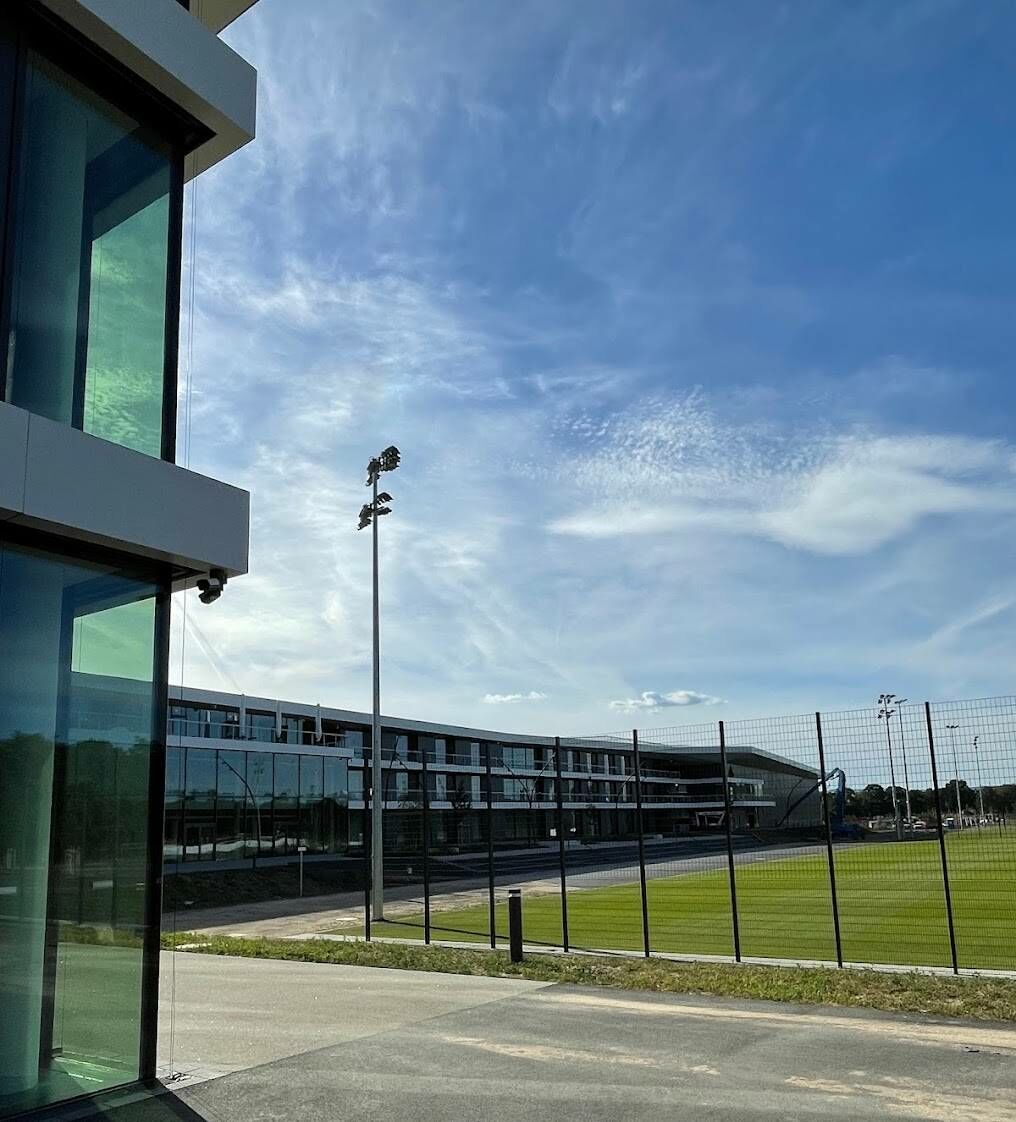
Same system, different view, different functions. At another window, a co-worker checks in incoming groups while the front desk manager scans today’s VIP arrivals. Corporate reservations will be billed automatically on the first billing cycle. Revenue management separated holiday pricing season. Rebuilt wing opens draft room kept under wraps until ready to sell.
Nothing happens here behind the scenes on its own. Every activity is automatically entered into a common database, with integrations linking the PMS to booking engines, channel managers, and payment systems (the same integrations that quietly compile reports that would otherwise be created manually by staff) syncing data across departments.
As the Product Lead at HotelFriend told: “We saw people at over 200 of our midsize customers wasting up to 40% of their time manually copying OTA bookings into the system. Once we automated that sync, we lost no time and overbooking risk was zero.” The same philosophy carries over into HotelFriend's own infrastructure, where trimming page weight and load times follows the same logic. Guests never notice any of it, and that's precisely the point, since everything else only feels effortless because of what's invisible underneath. Current users include Montana Hotel Diemelstadt, Hotel Zur Kaiserpfalz, the German Football Association, and more than 100 cruise ships that manage check-ins and payments offline.
What Modern PMS Features Should Include?
When reservations, front desk, housekeeping, guest profiles, billing, payments, distribution, rate management, and reporting stop working as standalone pieces, then everything changes. Room status updates everywhere at the same time, bookings roll in automatically from all channels, check-in and check-out happen smoothly, and charges hit the folio while rates and inventory stay in sync behind the scenes.
What comes out the other end is exactly what hotels care about most: occupancy, ADR, and RevPAR arrive already formed into decisions, not something a manager had to build from scratch.
Reservations
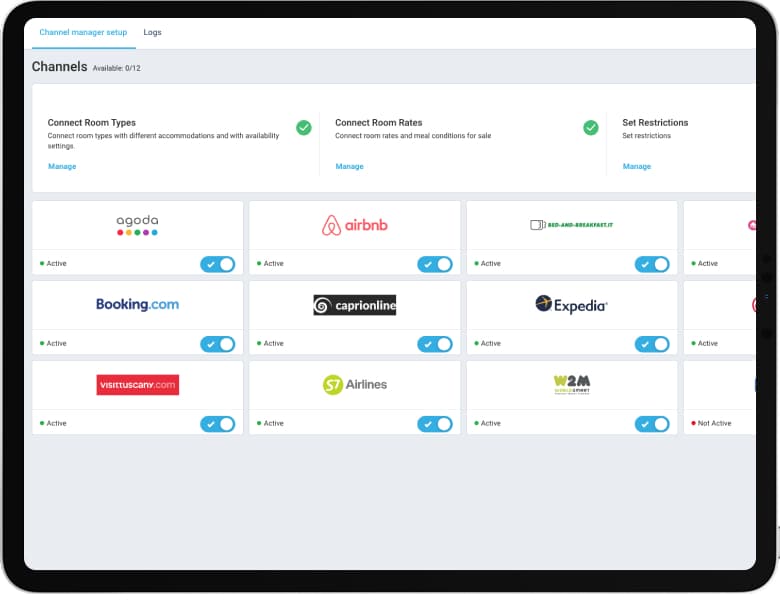
The PMS kicks in when the reservation is made, sometimes even before the guest is on property. Whether a guest books through the hotel’s own booking engine, a channel manager that syncs to OTAs such as Booking.com and Expedia, a phone call or a walk-in, the PMS automatically assigns a room type, notes special requests and pulls the guest’s previous stay history if they’ve been there before.
The moment a room is sold, the system updates availability across every source in real time, shutting the door on double bookings from then on. It’s a small thing for the client to do, but it’s the step that allows to run off one record, not guesswork.
Front Office (Check-In / Check-Out)
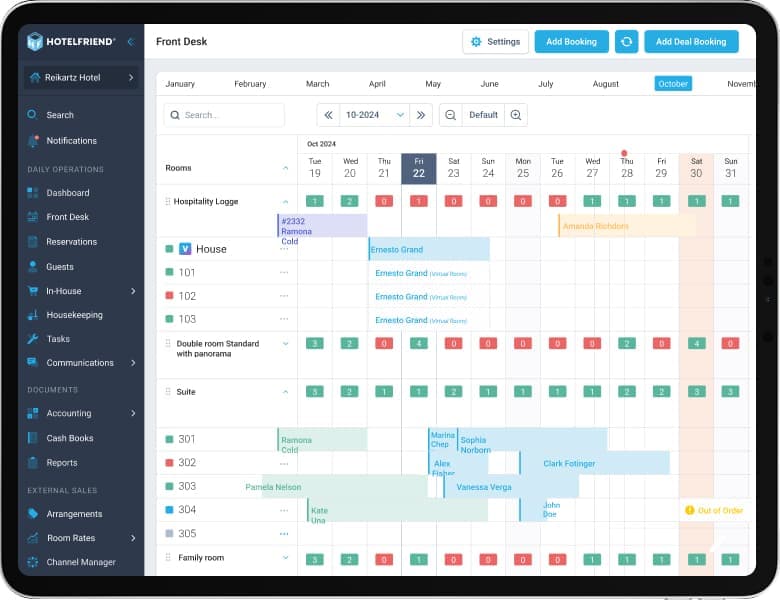
Many room-readiness complaints happen because housekeeping and the front desk are working with different information. A PMS keeps every room status updated in real time as clean, dirty, inspected, or out of order. After check-out, the room automatically switches to vacant and dirty, without calls or manual checks.
Because staff see room status the moment it changes, they never hand over a key before a room is actually finished - the system simply won't let a guest into one mid-turnover. Managers work from the same live picture to divide tasks, push emergency rooms to the front of the line, and take damaged rooms off the sellable list entirely, so what was promised at booking is what the guest actually walks into.
Housekeeping
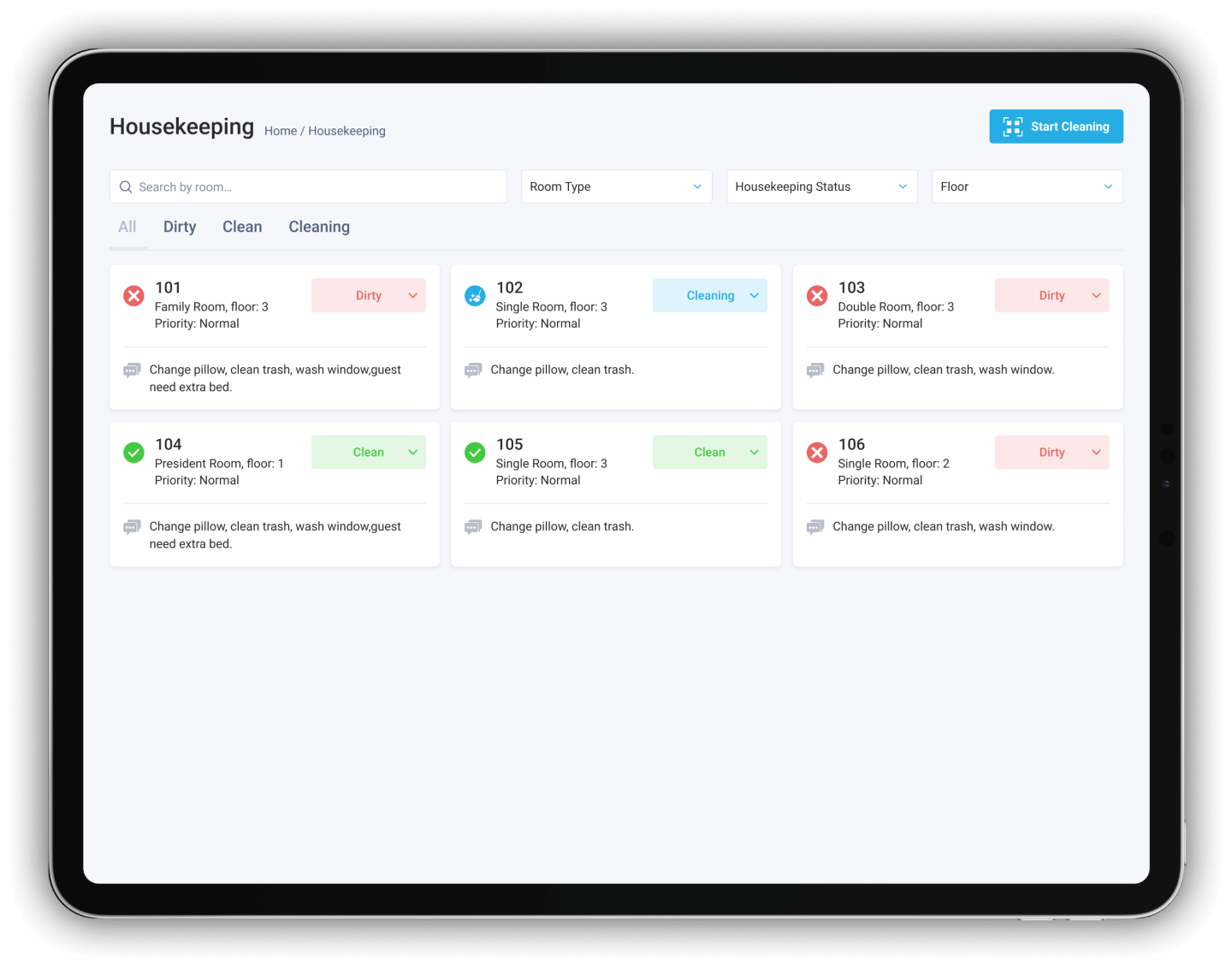
Many 3 p.m. bottlenecks happen because housekeeping updates do not reach the front desk quickly enough. A PMS keeps every room status current in real time, marking it as clean, dirty, inspected, or out of order as soon as staff updates it. Room status also changes automatically after check-out.
This way, the front desk can assign only those rooms that are confirmed ready. Less rushing to check in. Less complaining. They can concentrate on turnovers, delegate responsibilities, and lock off rooms under renovation so they are not accidentally sold.

Billing & Folios
That’s where small manual errors become lost revenue - a charge that was never entered for a minibar, a typo on a split payment. This is where a PMS helps, by linking each charge to the folio as it is incurred. The spa, room service or an extra night. Auto-invoicing applies to the first cycle; the rest is rolled over, so staff don't have to chase payments mid-stay. Ditto long stays and group bookings.
The invoice is correct for what was charged, payment has been made and there are no receipts to reconcile after the fact. Folio closes at check out. And that's the thing about it. Financial reports are ready now, not waiting for month-end cleanup.
Reporting & Analytics
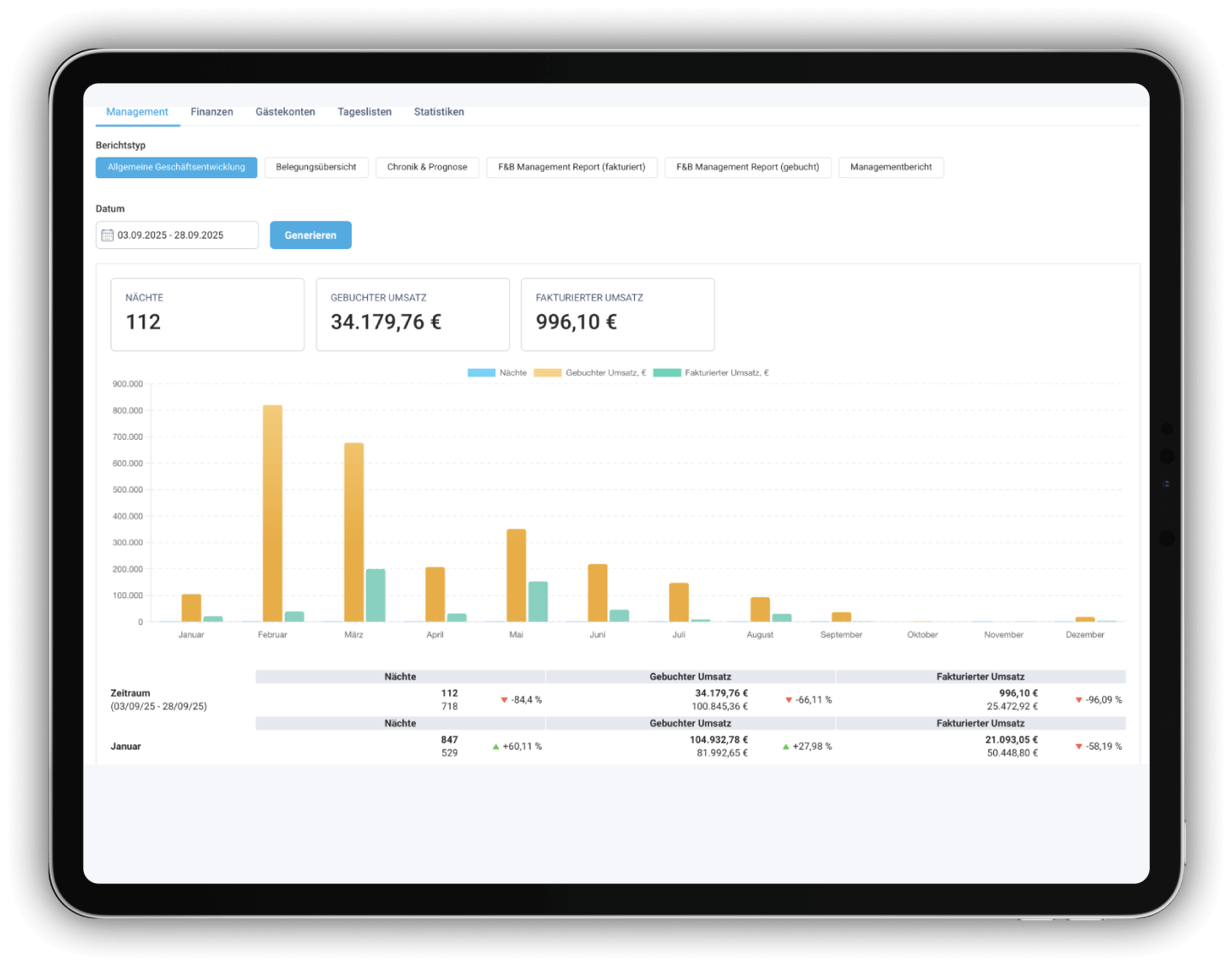
Every reservation, every folio charge, every room change, every guest interaction is data the system can act on, not something the manager has to keep in their head. Occupancy, ADR, and RevPAR are right at your fingertips, giving you enough runway on demand shifts so staffing and pricing are planned in advance, not cobbled together last minute. Guests benefit just as much: Saved profiles show who's coming back and what they usually order, so staff can pull from real records instead of relying on memory.
What Features Modern Hotel PMS Should Have
A modern hotel PMS should go beyond storing reservations and supporting check-ins to connect front desk, housekeeping, payments, guest communication, distribution, and reporting in one place - and while the ideal feature set depends on property type, size, and service model, most hotels benefit from one that cuts manual work, keeps departments synced, and gives staff real-time access to accurate data.
Key Features of a Modern Hotel PMS
|
Feature |
What it does |
Why it matters |
|
Reservation and front desk management |
Manages bookings, check-ins, check-outs, room assignments, and stay changes |
Keeps core guest and room operations in one system |
|
Housekeeping management |
Tracks room status, cleaning progress, inspections, and maintenance needs |
Keeps front desk and housekeeping teams synchronized |
|
Guest profiles and communication |
Stores guest history, preferences, requests, and contact details |
Supports personalized service and automated guest messages |
|
Folio, billing, and payments |
Records charges, deposits, refunds, balances, and payment transactions |
Reduces billing errors and simplifies payment processing |
|
Booking engine integration |
Sends direct website reservations to the PMS automatically |
Reduces manual entry and supports more direct bookings |
|
Channel manager integration |
Synchronizes rates, restrictions, and room availability across OTAs |
Helps prevent overbooking and inconsistent inventory |
|
Rate and revenue management |
Manages rate plans, packages, restrictions, and pricing rules |
Helps hotels adjust prices based on demand and occupancy |
|
Reporting and analytics |
Tracks occupancy, ADR, RevPAR, revenue, booking sources, and operational performance |
Helps managers identify trends and make data-based decisions |
Cloud vs On-Premise vs Hybrid PMS Models
Different mixes of cost, control, and flexibility are available with cloud, on-premise, and hybrid PMS models. Cloud PMS is cheaper to install, can be accessed remotely, and updates itself, but requires a reliable internet connection and has ongoing fees.
On-premise systems give you more control and access to offline systems, but require a greater initial investment, manual maintenance, and internal IT support.
Hybrid PMS integrates local infrastructure with cloud features, boosting resilience but also complicating integration. For most hotels, it’s a question of budget, internet reliability, IT capacity, and remote access requirements. Cloud is now the preferred option for easier scaling.
Pros & Cons of Each
Hotel PMS platforms differ not only in terms of features but also in the way they are hosted and maintained. A cloud PMS is hosted on the provider's servers and accessed via the internet, while an on-premises PMS is installed on hardware at the property. It’s a hybrid system, a mix of on-premises infrastructure and selected cloud-based capabilities. The best choice depends on the hotel’s internet reliability, IT resources, security needs, budget, and need for remote access.
Cloud vs On-Premise vs Hybrid PMS: Pros and Cons
|
PMS type |
Pros |
Cons |
Best for |
|
Cloud PMS |
Lower setup costs, remote access, automatic updates |
Needs reliable internet and ongoing subscription fees |
Hotels seeking flexibility and minimal IT maintenance |
|
On-premise PMS |
More control and offline access |
Higher costs, manual updates, and IT maintenance |
Hotels with dedicated IT teams |
|
Hybrid PMS |
Balances control, resilience, and remote access |
More complex to integrate and maintain |
Hotels gradually moving to the cloud |
Why Cloud Wins for Most Hotels in 2026: HotelFriend’s Case
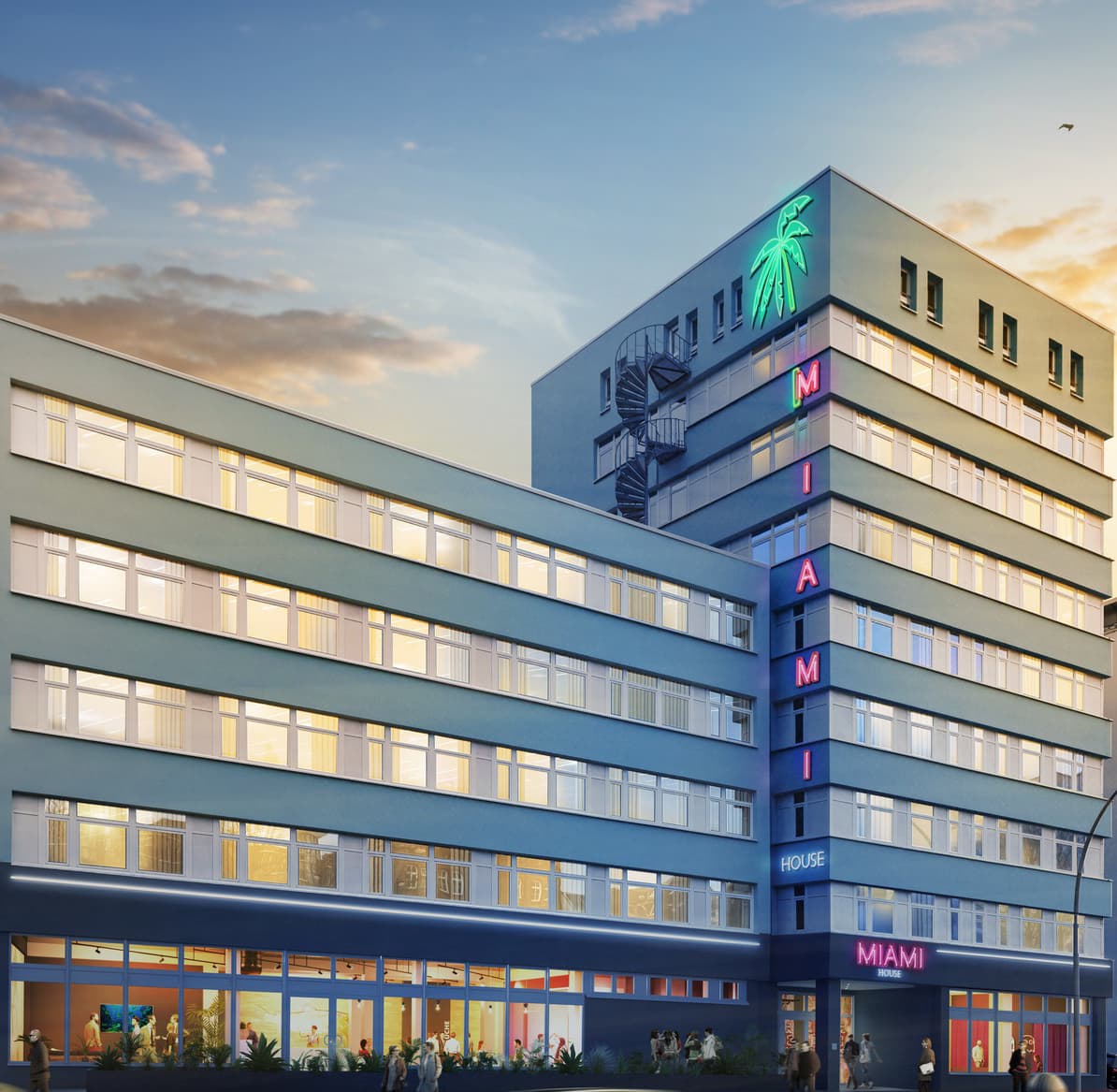
HotelFriend runs cloud PMS for clients worldwide, from tiny house resorts like Tiny Hygge and aparthotels like Miami House to a Danish Premier League club's training base at FC Nordsjælland, all detailed on its customer stories page - proof that cloud scales from a handful of rooms to multi-property operations without paying for capacity nobody needs.
The benefits add up: no servers to manage, access anywhere and quicker onboarding, with 92% of operators saying modern PMS interfaces cut training from weeks to days, according to HotelTechReport’s 2026 PMS study. “We recommend setting the automatic pre-authorization holds 24 hours prior to the check-in,” says one of the HotelFriend engineers.
The report also found that 48% of hoteliers would switch vendors due to reliability issues, while 42% cited cybersecurity concerns. This suggests that uptime and security, two key advantages of cloud systems, now influence vendor loyalty more than price and help explain why cloud solutions have become the industry standard rather than an alternative.
PMS Pros & Cons: What Does Real Experience Look Like?
Real customer feedback on any PMS rarely sits neatly on one side of the fence. Even hoteliers who end up recommending HotelFriend tend to flag at least one thing they wish worked differently. Here are two Capterra cases that illustrate both sides.
A Real Case: A 56-Room Hotel Switching to HotelFriend
Pro: They turned a 56-room hotel into HotelFriend, and one account states it was a good choice. The transition process was smooth, and the team was there to back me all the way through. This hotel especially praised the channel manager, saying that it saved a lot of time and kept the bookings perfectly in sync across OTAs, with the added bonus of chatting with guests from one platform instead of switching between channels. To quote the reviewer: “Changing to HotelFriend was one of the best decisions we made - our team felt supported at each and every step, and the channel manager alone paid for itself within months."
Con: The same account noted that while the system is intuitive and user-friendly, staff training beyond the basics comes at an extra cost if the hotel wants it.
What Works
A modern PMS brings core hotel operations into one system, helping teams reduce manual work, prevent errors, and improve day-to-day efficiency. The table below highlights the main operational and business benefits.
Key Benefits of a Modern Hotel PMS
|
Benefit |
General Impact |
Example |
|
Centralized channel management |
Syncs rates, availability, and bookings across OTAs, reducing manual work and overbooking risks. |
Staff can manage OTA and direct reservations from one dashboard. |
|
Smooth implementation |
Clear onboarding, data migration, and staff training support faster adoption. |
Vendor support reduces disruption when switching from legacy systems. |
|
Built-in compliance |
Meets tax, invoicing, data protection & reporting requirements. |
Some PMS platforms include GDPR, fiscalization, and compliant invoicing tools. |
|
Regional regulatory support |
Helps hotels meet legal and financial requirements in different markets. |
Region-specific systems may support GoBD, TSE, and local tax rules. |
|
Unified hotel operations |
Combines reservations, front desk, billing, housekeeping, and reporting. |
Hotels can replace spreadsheets and disconnected tools with one system. |
|
Responsive customer support |
Fast issue resolution improves reliability and long-term trust. |
Hotels benefit from vendors that respond quickly and act on feedback. |
What Frustrates Hoteliers
Even modern PMS platforms can create operational challenges if they lack reliable integrations, flexible accounting tools, or responsive support. The table below highlights the main limitations hotels should evaluate before choosing a system.
Common PMS Limitations to Consider
|
Limitation |
Why It Matters |
Example |
|
Slow channel synchronization |
Delayed OTA updates increase the risk of manual checks and double bookings. |
Reservations may take hours to sync or fail to update. |
|
Weak accounting tools |
Limited invoice editing and fee cancellation create extra daily work. |
Staff may need to cancel and re-create invoices due to minor changes. |
|
Limited support availability |
Hotels operate 24/7, but standard support may not be available on weekends. |
Faster or weekend assistance may require a paid support plan. |
|
Learning curve for advanced features |
Basic tasks may be simple, while deeper modules require more training. |
New staff may need extra time to learn reporting or accounting tools. |
|
Migration issues |
Problems often arise after real bookings and guest data have been transferred. |
Issues with PMS, booking engine, or channel manager may persist after launch. |
|
Poor fit for complex properties |
Software suited to small hotels may struggle with larger operations. |
Ease of use can vary by property size and workflow complexity. |
What to Watch Out For
Before signing with any PMS, a few checks can save months of frustration later.
- ● Test channel manager sync live. Request a live demo from the OTAs your hotel uses.
- ● Check accounting and invoicing. Confirm that you can easily edit invoices, cancel fees, and issue corrections.
- ● State what is included in the price. More for training, support, integrations, and additional modules.
- ● Review support hours. Make sure assistance is available when your property needs it.
- ● Request a property-specific demo. Test workflows based on your hotel’s size and complexity.
- ● Talk to a recent customer. Ask a similar migration hotel about actual setup problems.
- ● Verify local compliance. Check that the PMS supports local tax, invoicing, and data rules.
How to Evaluate Your First PMS
Choosing your first PMS requires weighing limitations with no established workflows to guide you:
- ● Test check-in, check-out, and invoice corrections using real scenarios.
- ● Read reviews from hotels similar in size, type, and region.
- ● Check response times, escalation options, weekend support, and extra fees.
- ● Confirm the system meets local tax, invoicing, and compliance requirements.
Sizing the Solution to Your Hotel
What works well on a small property may behave very differently as the number of rooms and complexity increase.
Small properties (under 30 rooms)
User-friendliness. It’s better to have a simple system that does the basics well than an all-in-one platform with unused modules.
Mid-size hotels (30 to 150 rooms)
The most important things are accounting, reliability of the channel manager, and coordination between departments. Check about invoice adjustment, fee waiver, and busy check-in performance.
Larger or multi-property operations
See how the system manages multiple locations from one login. Particularly moving bookings between locations. Some systems do a good job at managing access but still require manual steps here, which adds up at scale.
Specialized properties (cruise ships, mixed-use, event spaces)
Ensure that the vendor has direct experience with your property type - don’t assume that a general PMS will be able to adjust.
Buying Checklist
Use this checklist to compare vendors, spot hidden limitations, and avoid costly surprises after implementation.
- ● Display the PMS with your hotel’s actual workflows, not the vendor’s script
- ● Test invoice editing, fee cancellations, and correction processes
- ● Check channel manager sync speed with your main OTAs
- ● Verify compliance with local tax, invoicing, and data regulations
- ● Confirm support hours, weekend coverage, and premium support fees
- ● Request references from properties similar in size and type
- ● Clarify the base price and which features cost extra